Answering your pulse
A minute a week, in Pulsido or in Slack. Your answers are confidential.
Who can use this: Everyone, when your company runs the pulse.
In Pulsido#
When your pulse is ready, Home shows Your pulse is ready. Click Answer now.
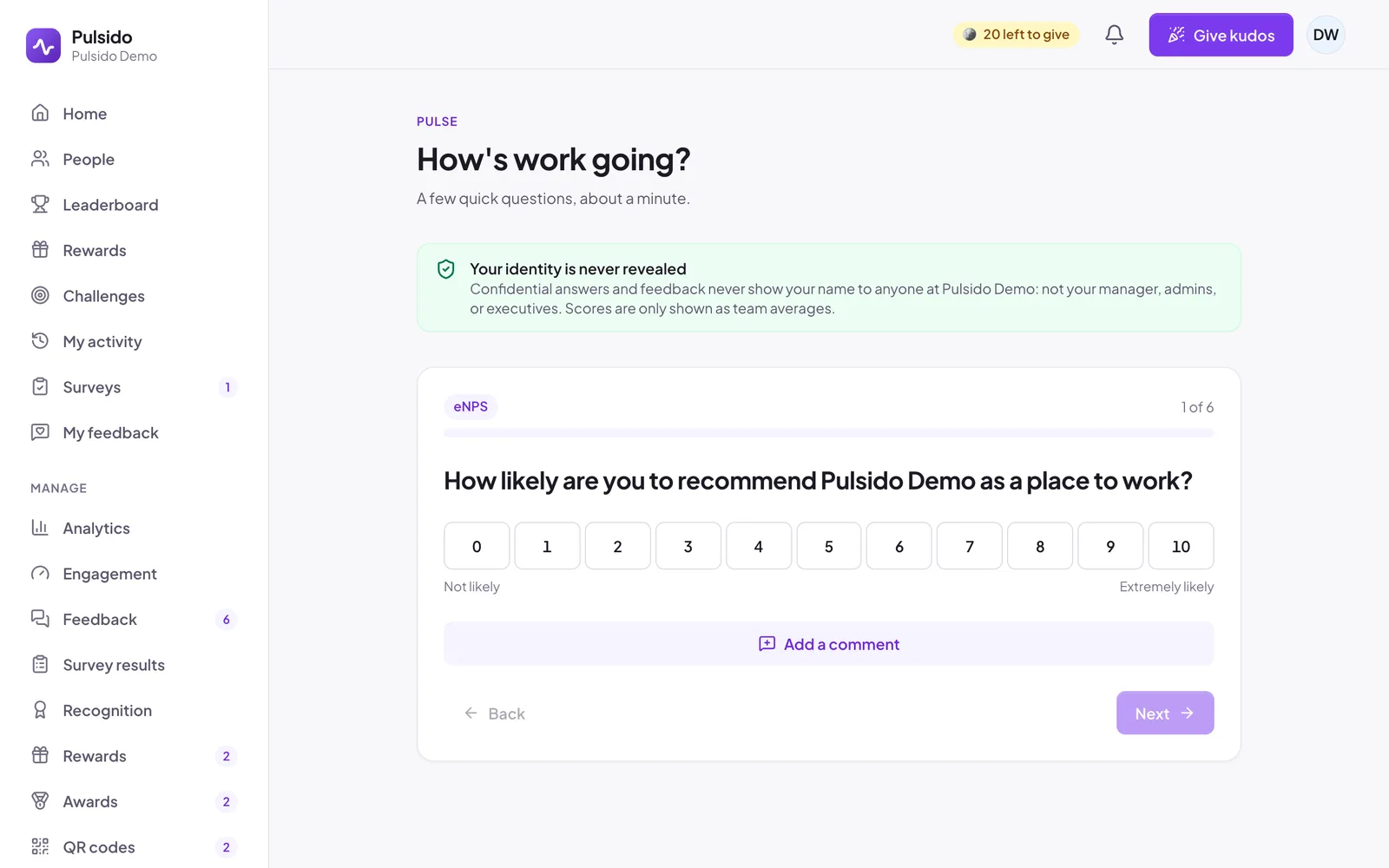
- Answer one question per screen. Most go from Strongly disagree to Strongly agree. When it's due, the first question is eNPS, on a scale from 0 to 10.
- To say more, click Add a comment. A manager can reply, and you can keep the conversation going. Your comment is confidential unless you switch on Show my name.
- On the last question, click Send answers. If your company rewards the pulse, the button says Send and earn with the number of coins.
In Slack#
If your company sends the pulse by Slack, you'll get a direct message from Pulsido. Tap an answer for each question. After the last one, choose Send answers, Add comments in Pulsido, or Start over.
Your progress is saved as you go, so you can start in Slack and finish in Pulsido, or the other way round. Comments are only added in Pulsido, where you can see exactly who will read them.
Who sees your answers#
Nobody sees your individual answers, or whether you've answered. Results only show as averages for groups of 3 or more people. See How confidentiality works.
Still stuck?
Email us and a person will reply, usually within one working day. hello@pulsido.com