Managing members
Change someone's role, title, or allowance, and remove people who've left.
Who can use this: Owners and admins, or anyone with the Members permission.
Go to Manage → Members to see everyone, with their role, title, department, allowance, and kudos counts. Search by name, or filter by segment.
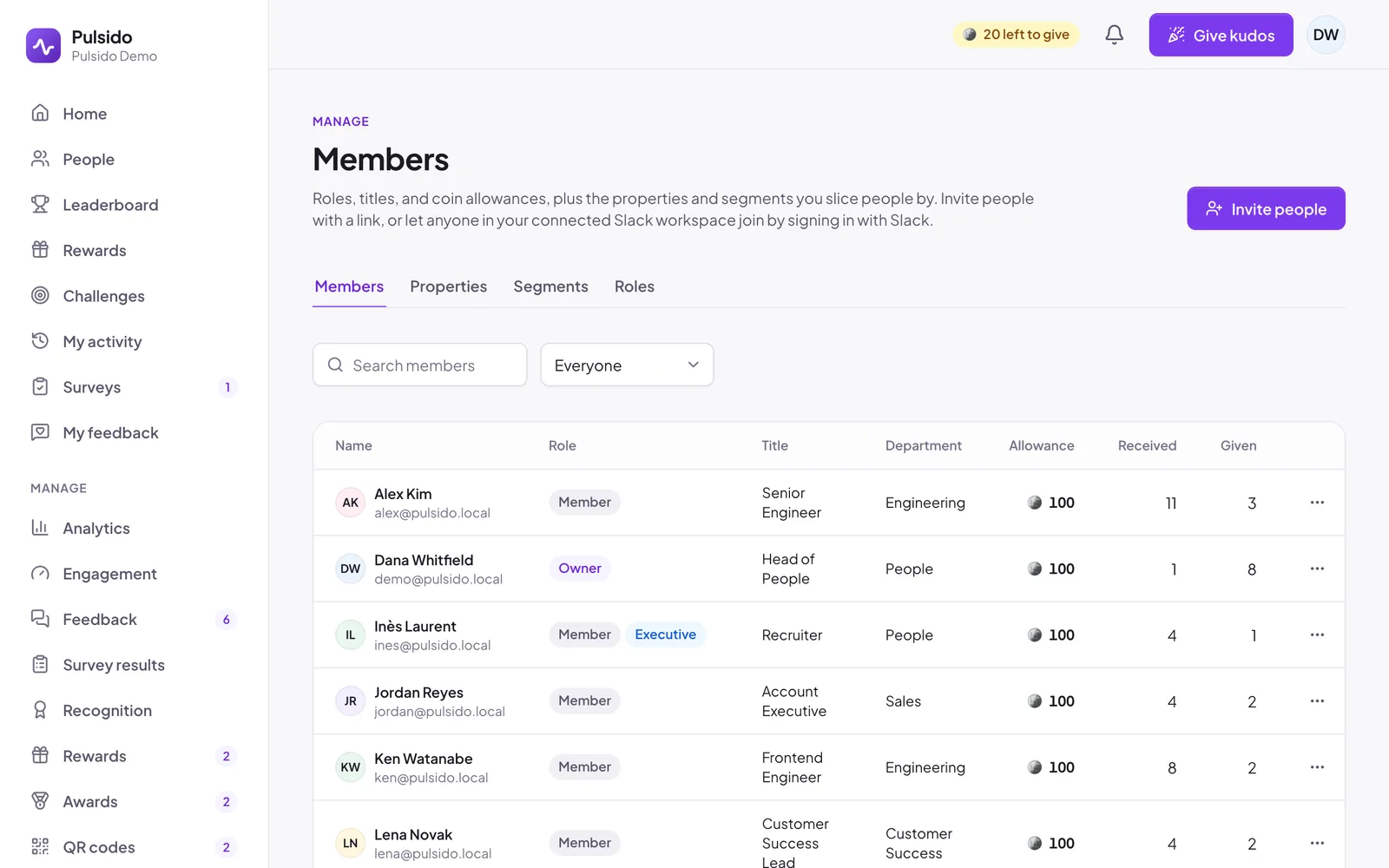
Invite people#
Click Invite people at the top of the page. See Inviting your team.
Edit someone#
Open the ⋯ menu next to them and choose Edit.
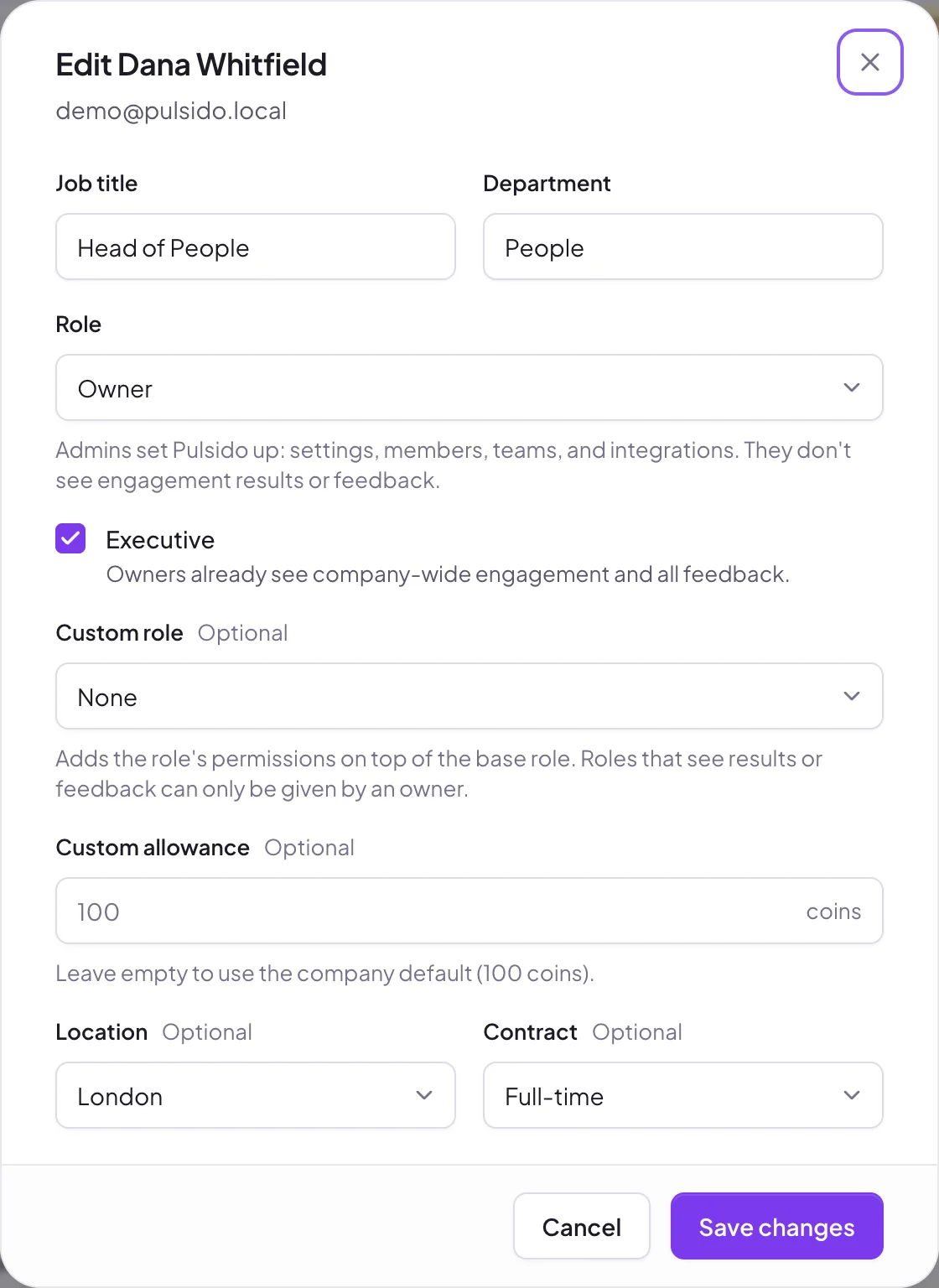
- Job title and Department.
- Role: Member, Admin, or Owner. Only owners can make someone an owner.
- Executive: owners only. See The Executive role.
- Custom role: adds a custom role's permissions on top of their role. See Custom roles.
- Custom allowance: leave empty to use their team's or the company default.
- Any member properties you've added.
Click Save changes.
Remove someone#
Open the ⋯ menu and choose Remove from your company, then confirm. They lose access right away. Kudos they gave and received stay in history. Their earned coins are frozen or forfeited, depending on your setting; the dialog says which. See What happens to coins when someone leaves.
You can't remove yourself.
Still stuck?
Email us and a person will reply, usually within one working day. hello@pulsido.com