People and profiles
Find a colleague, see what they've been recognized for, and thank them.
Who can use this: Everyone.
The People page#
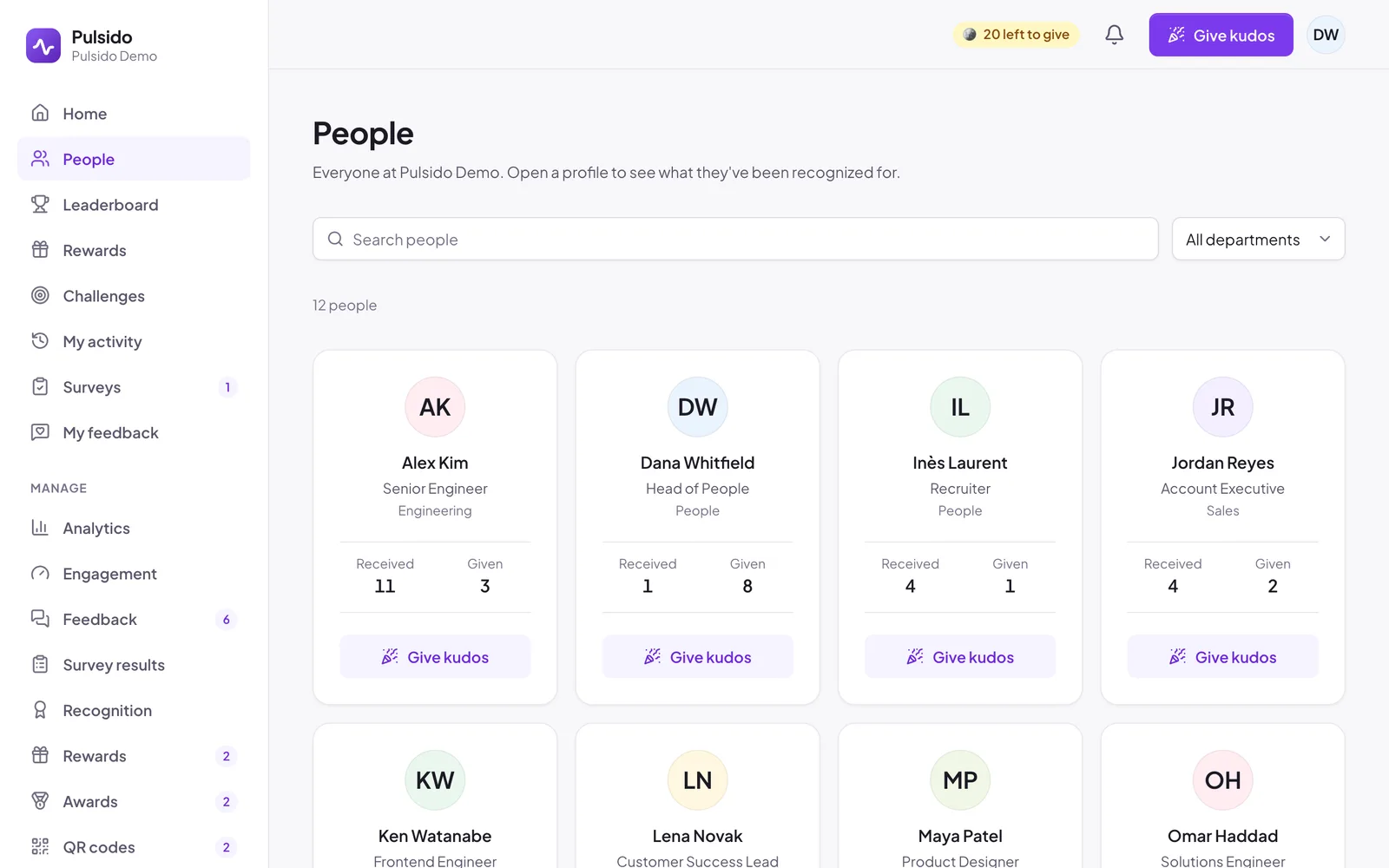
People in the sidebar lists everyone at your company with their title, department, and how many kudos they've received and given. Search by name, or filter by department. Give kudos on a card opens the kudos form with that person already picked.
A profile#
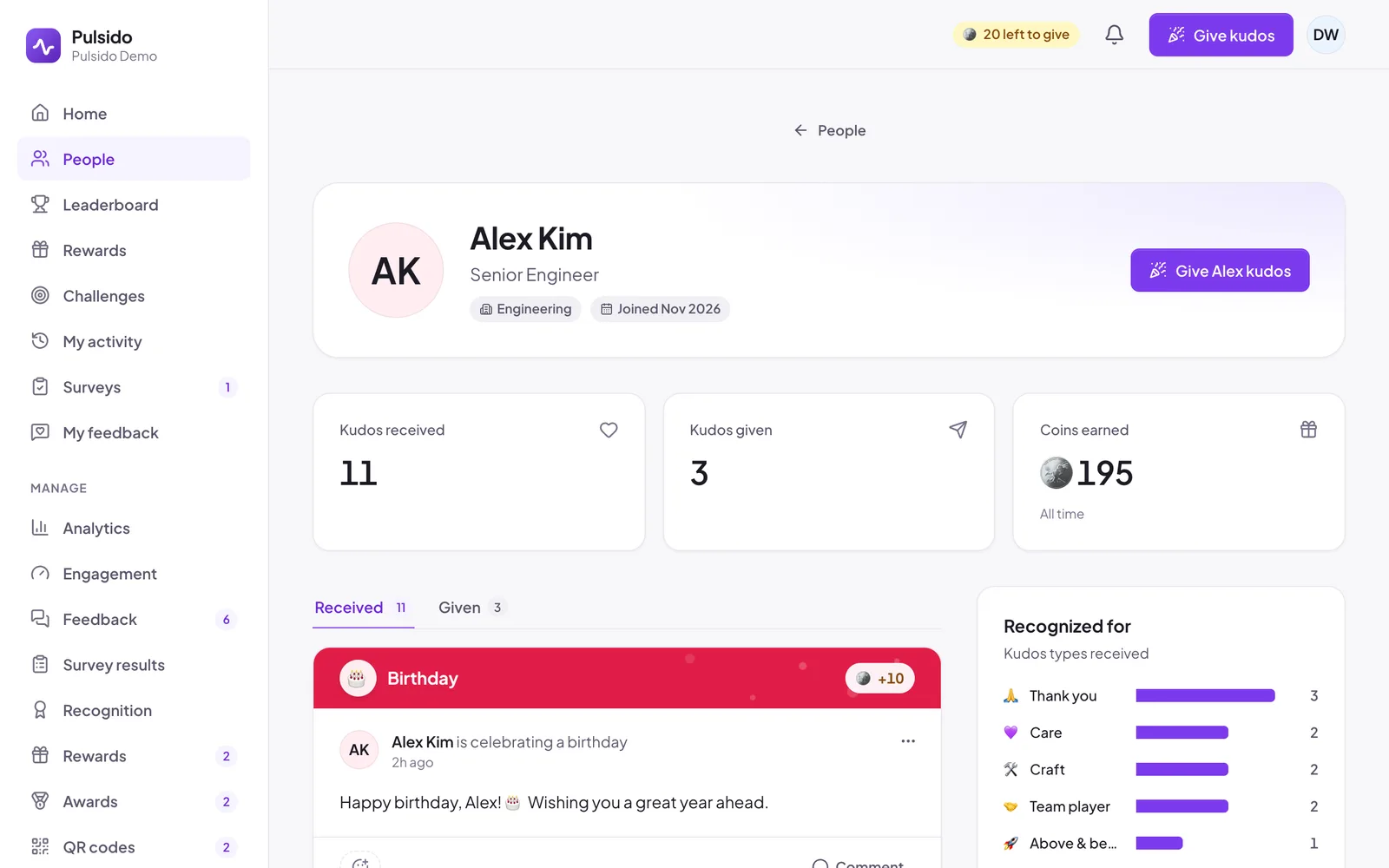
Click a person to open their profile. You'll see:
- kudos received, kudos given, and coins earned,
- Recognized for: which kudos types people have recognized them for,
- any spot awards they've received,
- their kudos, under Received and Given.
Your own profile is under your avatar → My profile. To change your name, title, or department, see Your profile and appearance.
Still stuck?
Email us and a person will reply, usually within one working day. hello@pulsido.com