Adding your logo and color with Brand Kit
Put your company name, logo, and brand color on kudos cards, emails, QR codes, and the rewards store.
Who can use this: Owners and admins, or anyone with the Settings permission.
Go to Manage → Brand Kit.
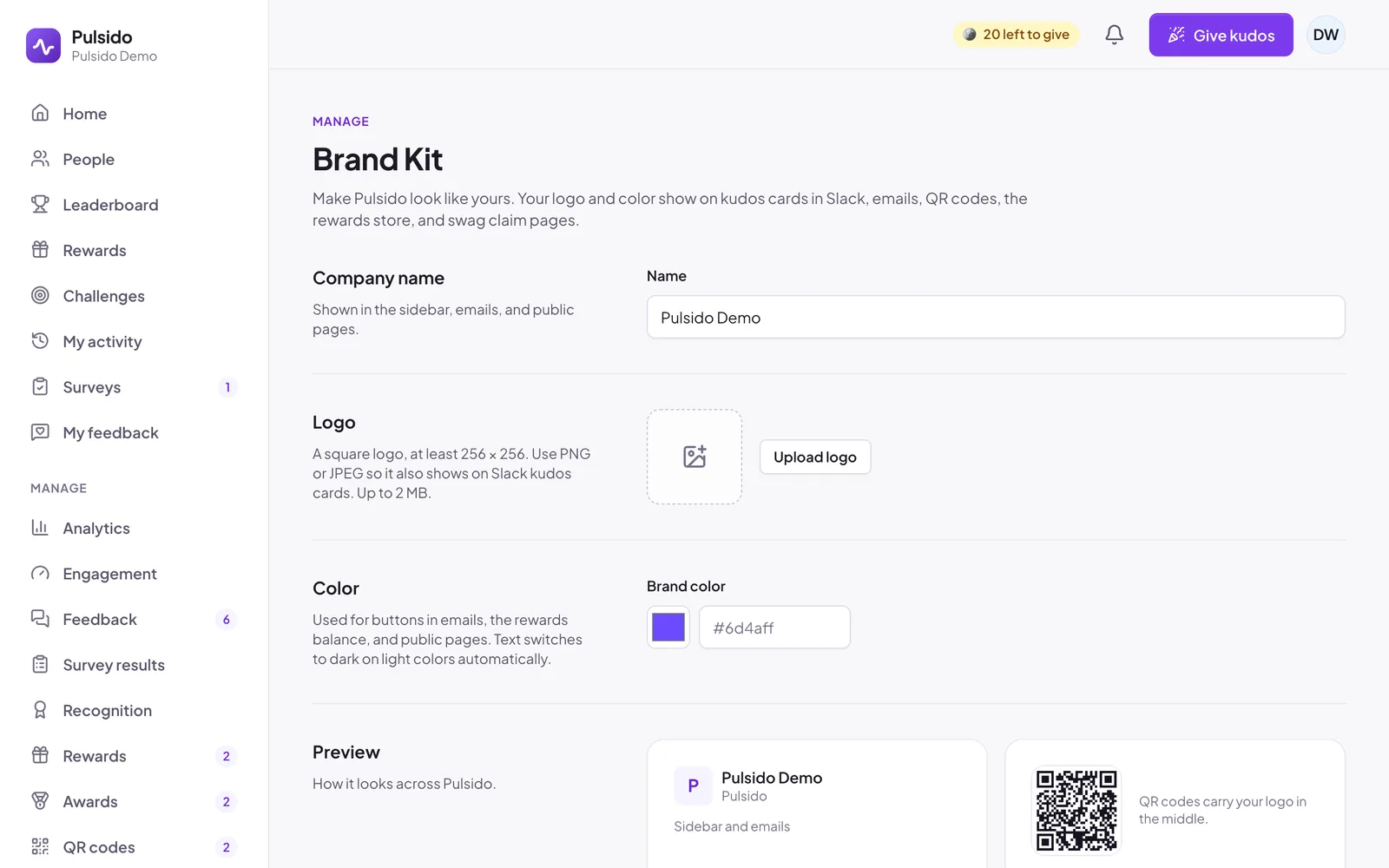
- Company name: shown in the sidebar, emails, and public pages.
- Logo: click Upload logo and choose a square image, at least 256 × 256 pixels, up to 2 MB. Use PNG or JPEG so it also shows on Slack kudos cards.
- Color: a hex color like
#6d4aff. Leave it empty to use Pulsido's violet. Text switches to dark on light colors automatically. - Check the Preview, then click Save changes.
Where it shows#
| Where | What changes |
|---|---|
| Sidebar | Your logo and company name, with "Pulsido" underneath |
| Slack kudos cards | Your logo in the top right corner |
| Emails | Your logo and name at the top, and buttons in your color |
| QR codes | Your logo in the middle, including in downloaded PNG and SVG files |
| Rewards store | The balance banner in your color |
| Public QR code and swag claim pages | Your logo next to your company name |
Still stuck?
Email us and a person will reply, usually within one working day. hello@pulsido.com