Reading survey results
Response rates, per-question summaries, team filters, and the CSV export.
Who can use this: Owners, executives, and team managers. Admins see response rates only.
Go to Manage → Survey results and pick a survey.
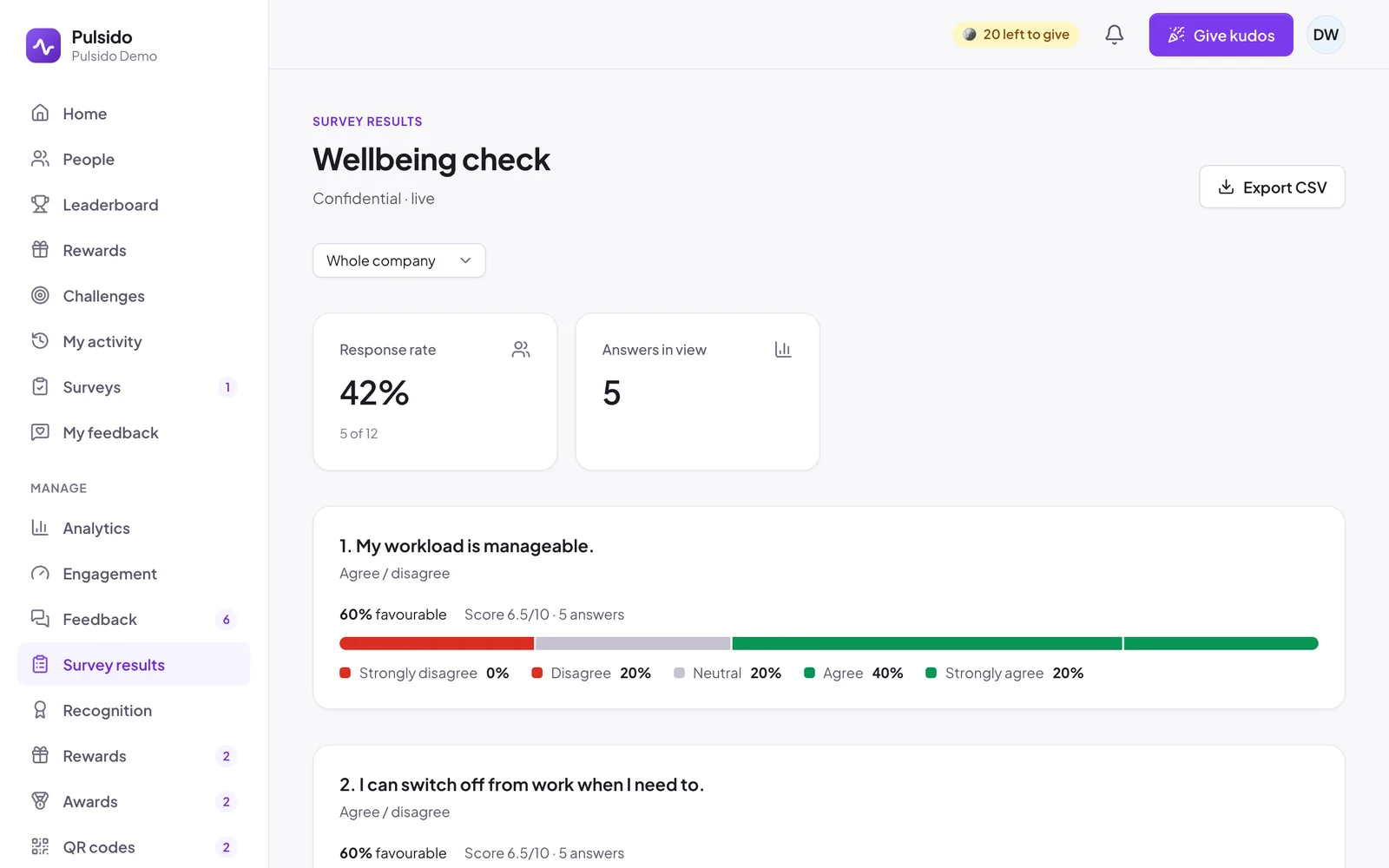
- Response rate: how many of the people asked have answered.
- Team filter: the whole company, or one team and the teams under it. Team managers see their own teams.
- Runs: recurring surveys have a tab for each time they were sent.
- Each question:
- Agree / disagree: the spread of answers, the favourable share, and a score out of 10.
- Multiple choice: counts for each choice.
- eNPS: the score, with promoters, passives, and detractors.
- Text: the answers.
Nothing shows until at least 3 people in the chosen group have answered. Admins who aren't owners or executives see response rates but not answers.
Export#
Click Export CSV to download the same summary. Confidential surveys never export per-person rows.
Comments#
Comments on survey questions arrive in Manage → Feedback as conversations you can reply to. See Replying to feedback.
Still stuck?
Email us and a person will reply, usually within one working day. hello@pulsido.com