Changing pulse questions
Reword or switch off library questions, and add your own.
Who can use this: Owners and admins, or anyone with the Surveys permission.
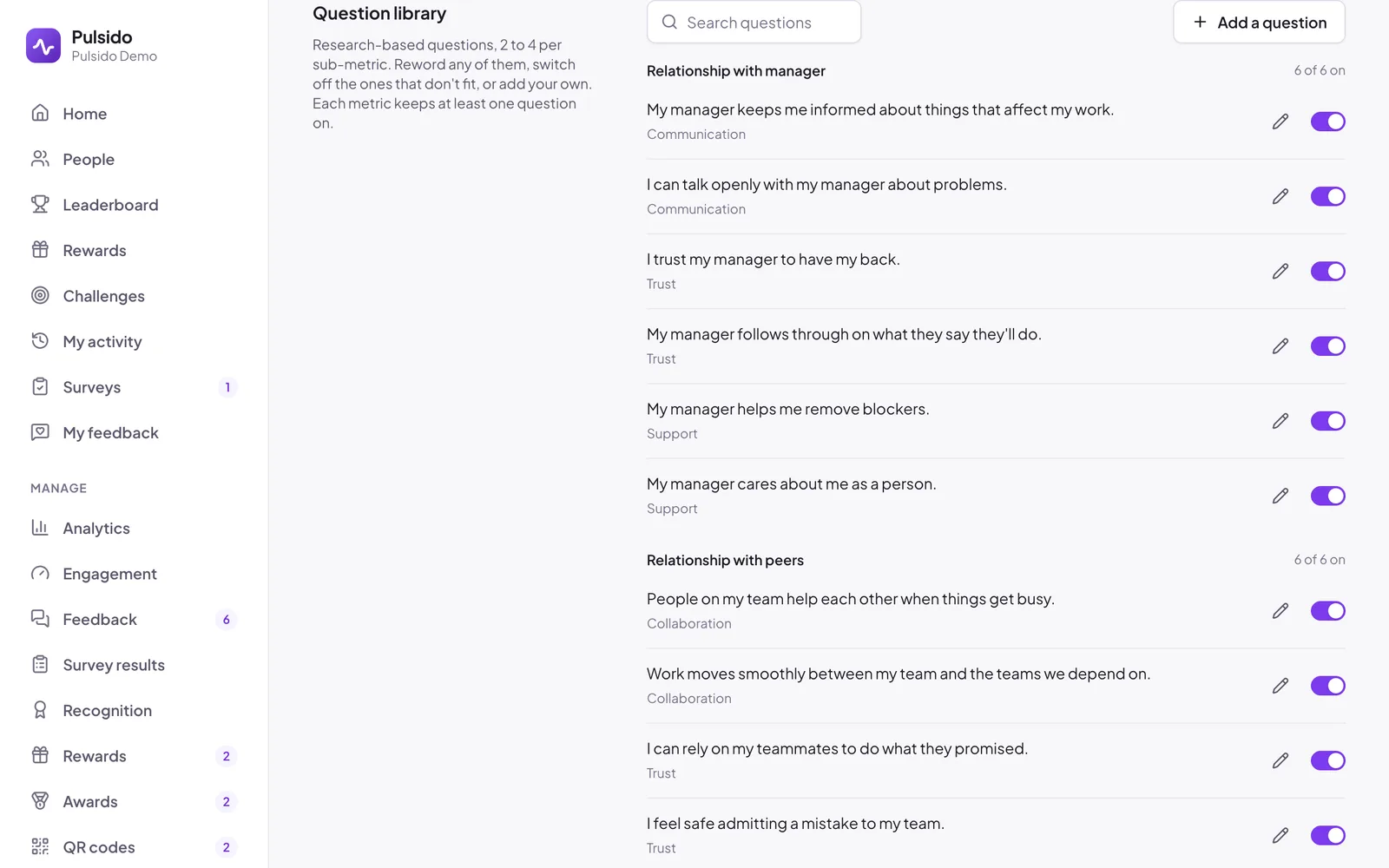
The pulse draws from a library of 50 research-based questions, 2 to 4 for each sub-metric. You can change it under Manage → Surveys → Pulse → Question library.
Reword a question#
Click the pencil next to a question, change the wording, and save. It's marked Reworded, and its results continue from before. Click the restore icon to go back to the original wording.
Switch a question off#
Use the switch next to it. It stops being asked; past answers stay in results. Each metric keeps at least one question switched on, so no score quietly disappears.
Add your own#
- Click Add a question.
- Write a statement people agree or disagree with, such as "I have what I need to do my job well."
- Pick the Metric and Sub-metric it counts toward.
- If agreeing is a bad sign, like "I often feel overwhelmed", turn on Agreeing is a bad sign so Strongly agree scores low.
- Save. It's marked Custom.
Still stuck?
Email us and a person will reply, usually within one working day. hello@pulsido.com