Giving a spot award
For award managers. Pick the award, the people, and send it with a gold frame.
Who can use this: People an admin has made an award manager.
If you manage at least one active award, you'll see Give spot award on Home (it uses your company's name for the program).
- On Home, click Give spot award.
- Under Award, pick one. Each shows its coins per person, and the line below shows what's left in your budget and when it resets.
- Choose People or A team, and pick who it's for. A team includes its sub-teams, but never you.
- Edit the Message if you like.
{user}and{award}are filled in for you. - Choose Public or Private.
- Click Give award.
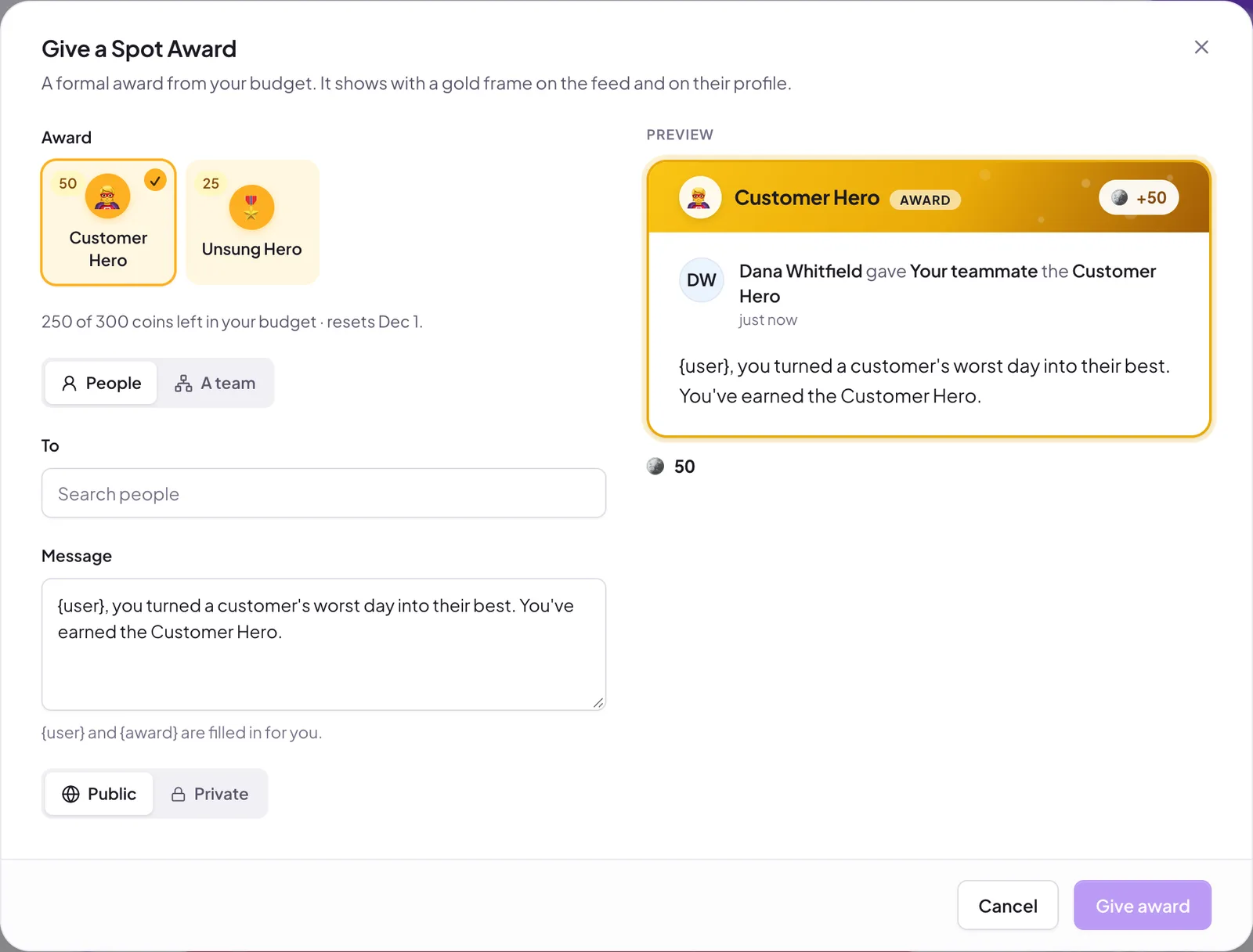
The award posts with a gold frame on the feed and in the Slack kudos channel (if it's public) and appears in the Awards section of each recipient's profile. Recipients' coins come from your budget, not your own allowance.
If you see Not enough budget, either pick fewer people or wait for the reset date shown.
Still stuck?
Email us and a person will reply, usually within one working day. hello@pulsido.com