Reactions, comments, and adding coins
Join in on a kudos someone else sent.
Who can use this: Everyone.
React#
Under each kudos, click the smiley to add a reaction: 👏 ❤️ 🎉 🙌 🔥 or 😂. Click a reaction again to take it back. Hover over a reaction to see who added it.
Comment#
Click Comment under a kudos, write up to 500 characters, and post. The giver and the people recognized get a notification. You can delete your own comments; admins can delete any comment.
Add coins#
Agree with a kudos? Back it with some of your own coins.
- Open the ⋯ menu on the kudos and choose Add coins (it uses your company's name for coins).
- Write a short note, such as "+1, this was huge."
- Pick how many coins per person.
- Click the Add button, which shows the total.
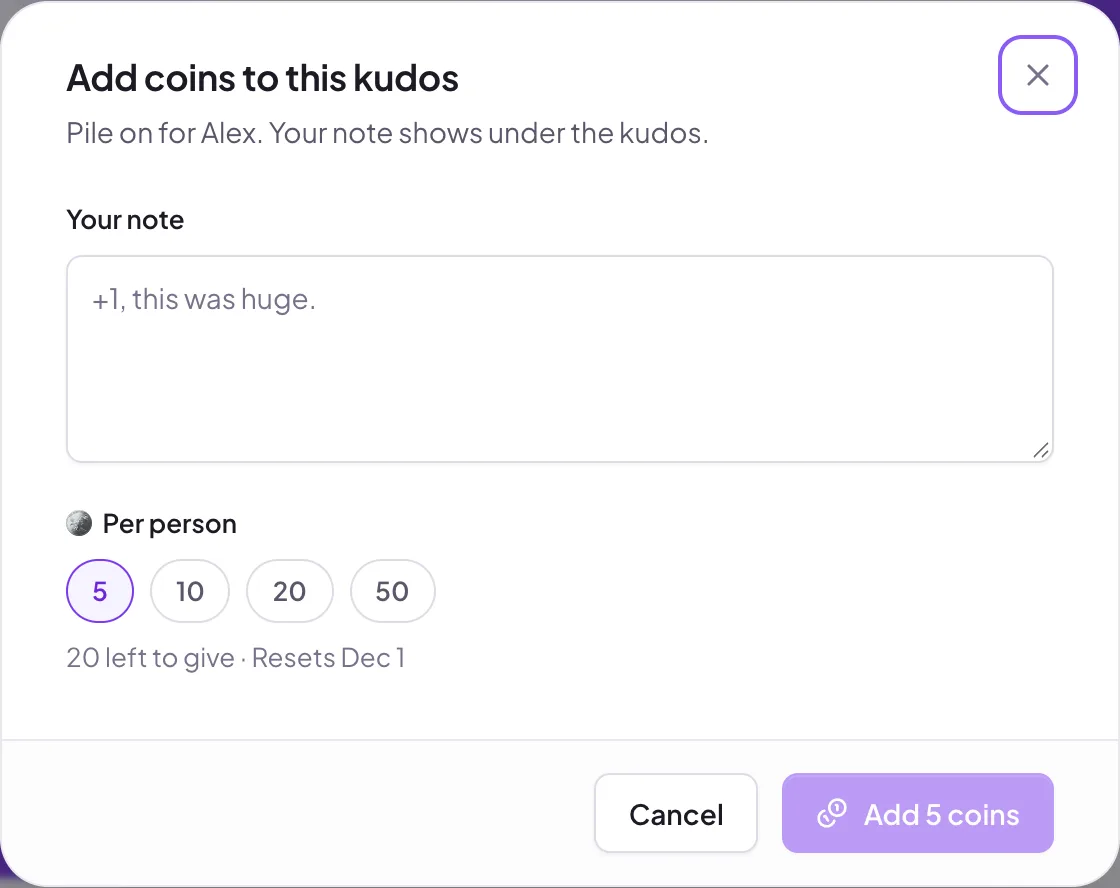
The coins come from your own allowance, and your note appears under the kudos. Add coins doesn't appear when:
- you're one of the people recognized,
- the kudos went to everyone or to a whole team,
- your company has turned off adding coins, or coins altogether.
Still stuck?
Email us and a person will reply, usually within one working day. hello@pulsido.com