Giving kudos
Thank one person, several people, a whole team, or everyone, from any page in Pulsido.
Who can use this: Everyone.
A kudos is a short note that says what someone did and why it mattered. Each one names a kudos type, which is one of your company values.
Send a kudos#
- Click Give kudos in the top bar. You can also click the prompt at the top of Home, or Give kudos on someone's card on the People page.
- In To, search by name or email and pick up to 25 people.
- Pick a Kudos type.
- Write your Message: at least 3 characters and up to 600. Use the emoji button to add emoji, and Add a GIF to attach one.
- If your company uses coins, choose how many coins per person to add. The quick picks are None, 5, 10, and 20, or type your own amount.
- Choose Public or Private.
- Click Send kudos.
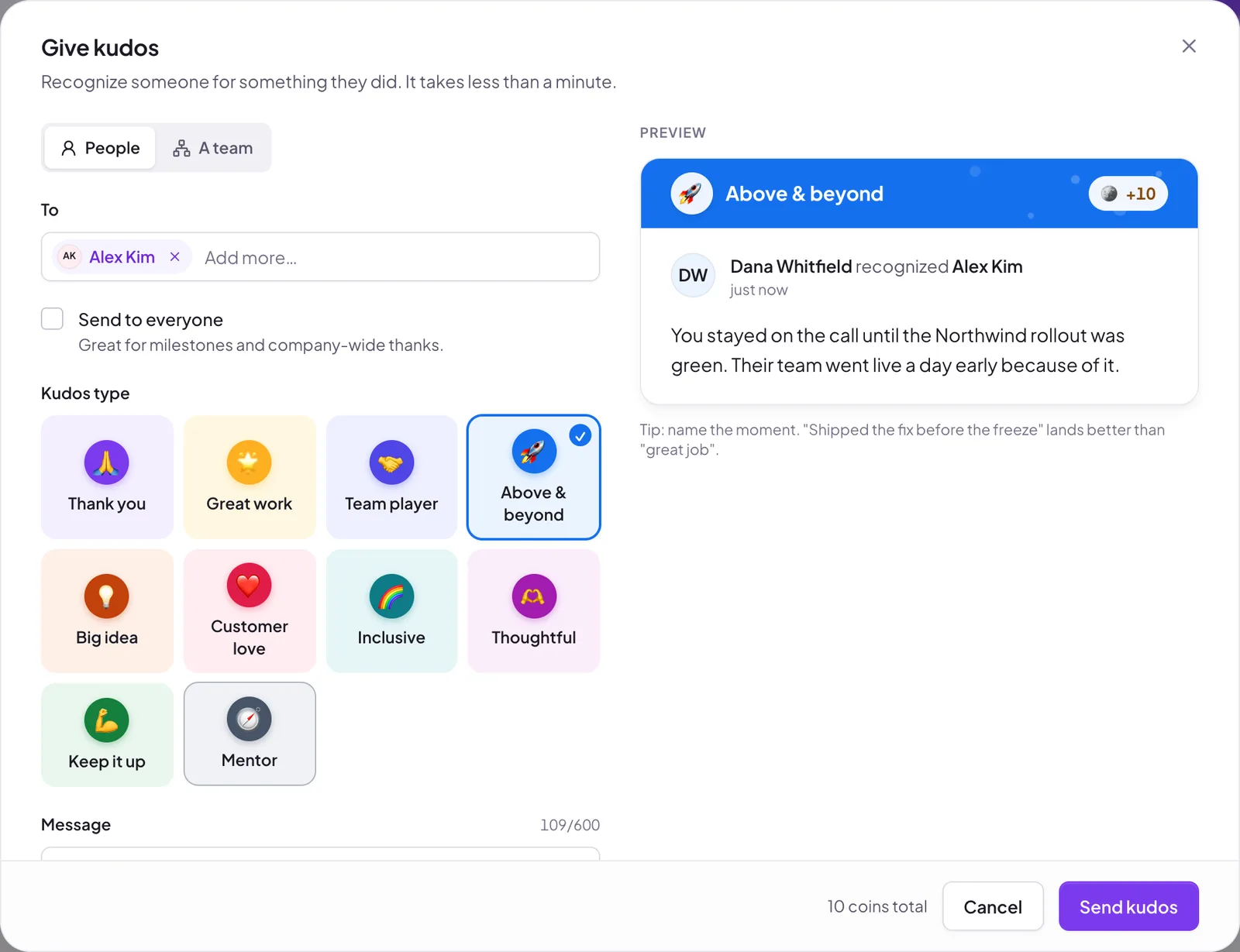
The preview on the right updates as you type, so you can see the card before it goes out.
Public or private#
- Public shows on the company feed and in your Slack kudos channel.
- Private is visible only to you and the people you recognized. In Slack it arrives as a direct message.
Your company decides who can send private kudos. If you don't see the choice, private kudos are turned off for you. See Recognition permissions.
Kudos to a team#
If your company has set up teams, switch People to A team and pick one. The kudos goes to everyone in that team and its sub-teams, except you. Coins are per person, so 10 coins to a team of 6 costs you 60.
Kudos to everyone#
If you're allowed, a Send to everyone checkbox appears under To. It sends one kudos to the whole company. It's always public and can't carry coins. By default only owners and admins can do this.
Coins#
The total cost is coins per person × the number of people. The form shows how many coins you have left to give and when your allowance resets. If the total is more than you have left, the form tells you and won't send.
Your company may also limit how many coins you can give one person each period. If a kudos would go over that limit, it still sends, but that person gets only the coins left under the limit and you keep the rest. You'll see a note saying Some coins were held back. See How coins work.
Writing a good kudos#
Name the moment. "Shipped the fix before the freeze" lands better than "great job". Say what changed because of it.
Still stuck?
Email us and a person will reply, usually within one working day. hello@pulsido.com