Adding rewards to the company store
Stock perks your company provides itself, such as a day off or lunch with the CEO.
Who can use this: Owners and admins, or anyone with the Rewards permission.
The company store holds rewards your company provides itself. No money changes hands through Pulsido: you decide what's on offer and deliver it yourselves. For gift cards, see Connecting Tremendous.
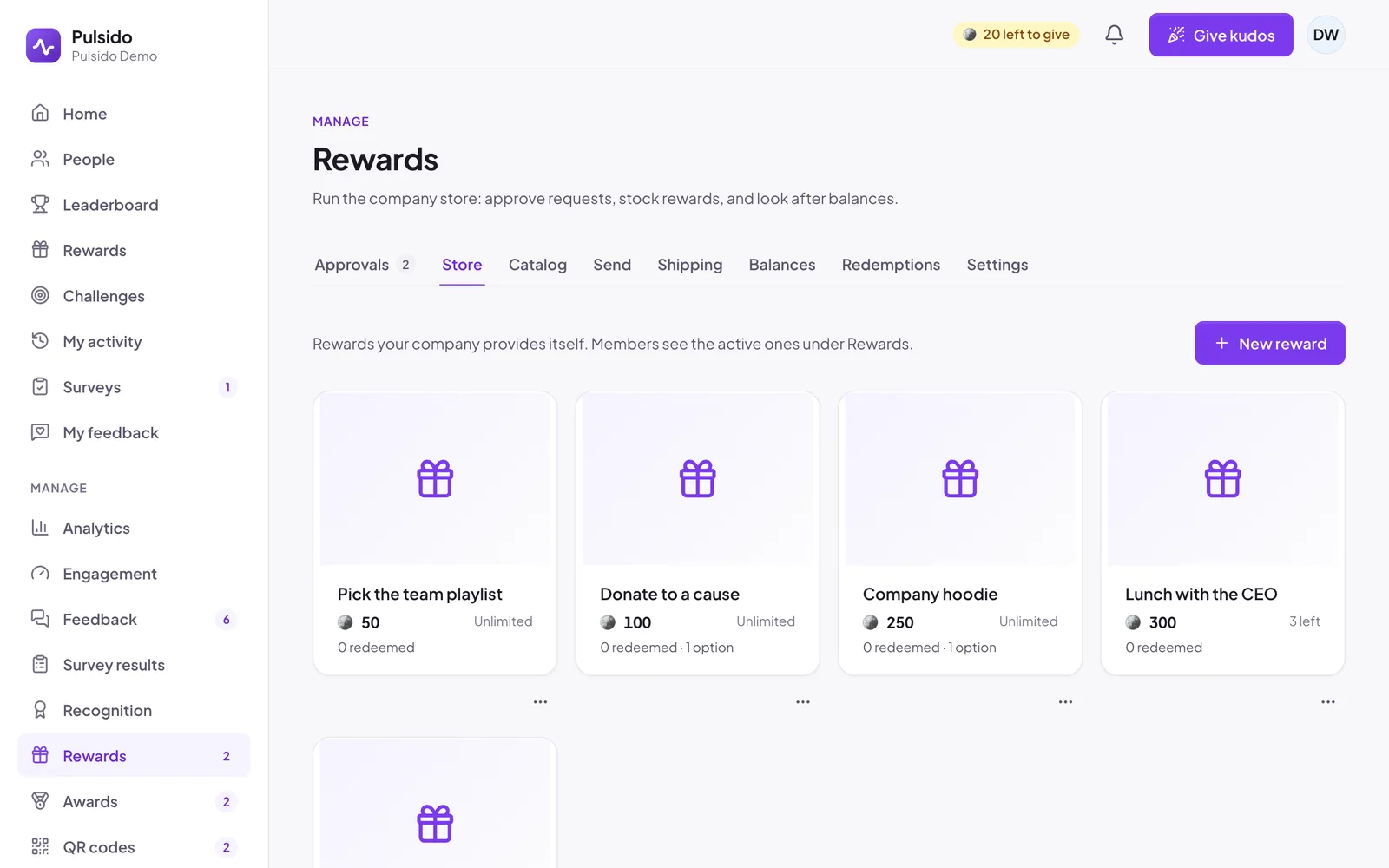
Start with examples#
If the store is empty, click Start with examples to add five ideas: an extra day off, lunch with the CEO, a company hoodie, picking the team playlist, and a donation. Edit or archive any of them.
Add a reward#
- Go to Manage → Rewards → Store and click New reward.
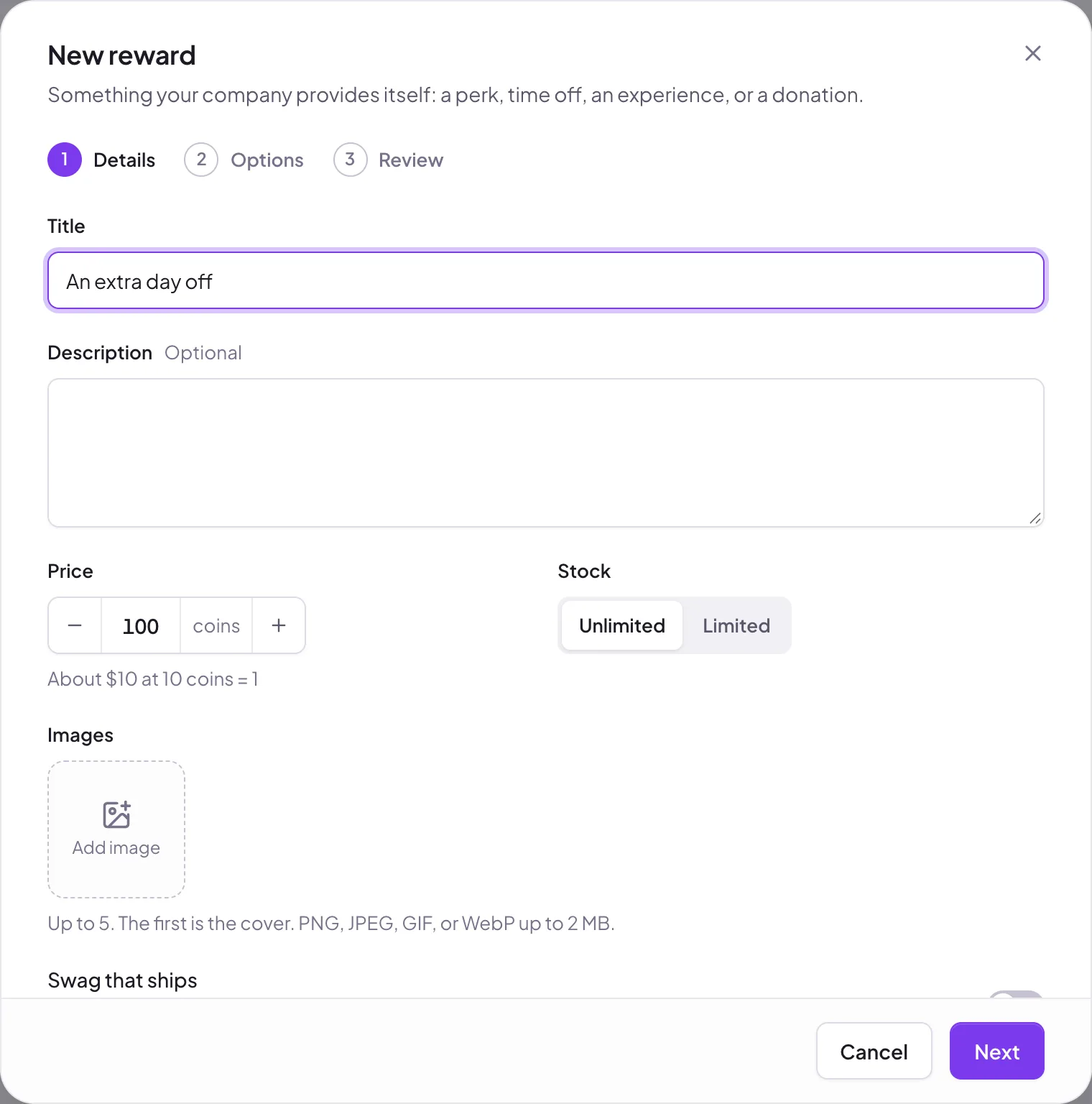
- Details:
- Title and Description.
- Price in coins. Pulsido shows roughly what that's worth at 10 coins = 1 unit.
- Stock: Unlimited or Limited to a number.
- Images: up to 5; the first is the cover. PNG, JPEG, GIF, or WebP up to 2 MB.
- Swag that ships: turn on for physical items, so people enter a shipping address. See Setting up swag.
- Featured: shows first, with a ribbon.
- Approval message (optional): sent when it's approved.
{reward}and{approver}are filled in.
- Options: ask for what you need to fulfil it, such as a size or a date. Add Multiple choice (up to 10 choices) or Text questions, each optional or required.
- Review, then save.
Edit, archive, or delete#
Open the ⋯ menu on a reward. Archive hides it from the store and keeps its history; you can restore it. Delete is only offered while nobody has redeemed it.
Still stuck?
Email us and a person will reply, usually within one working day. hello@pulsido.com