Replying to feedback
The feedback inbox for managers and executives, with labels and archiving.
Who can use this: Team managers, executives, and owners.
Feedback sent to your teams, comments on pulses and surveys, and (for executives) feedback to leadership all land in Manage → Feedback. The number in the sidebar shows how many need a reply.
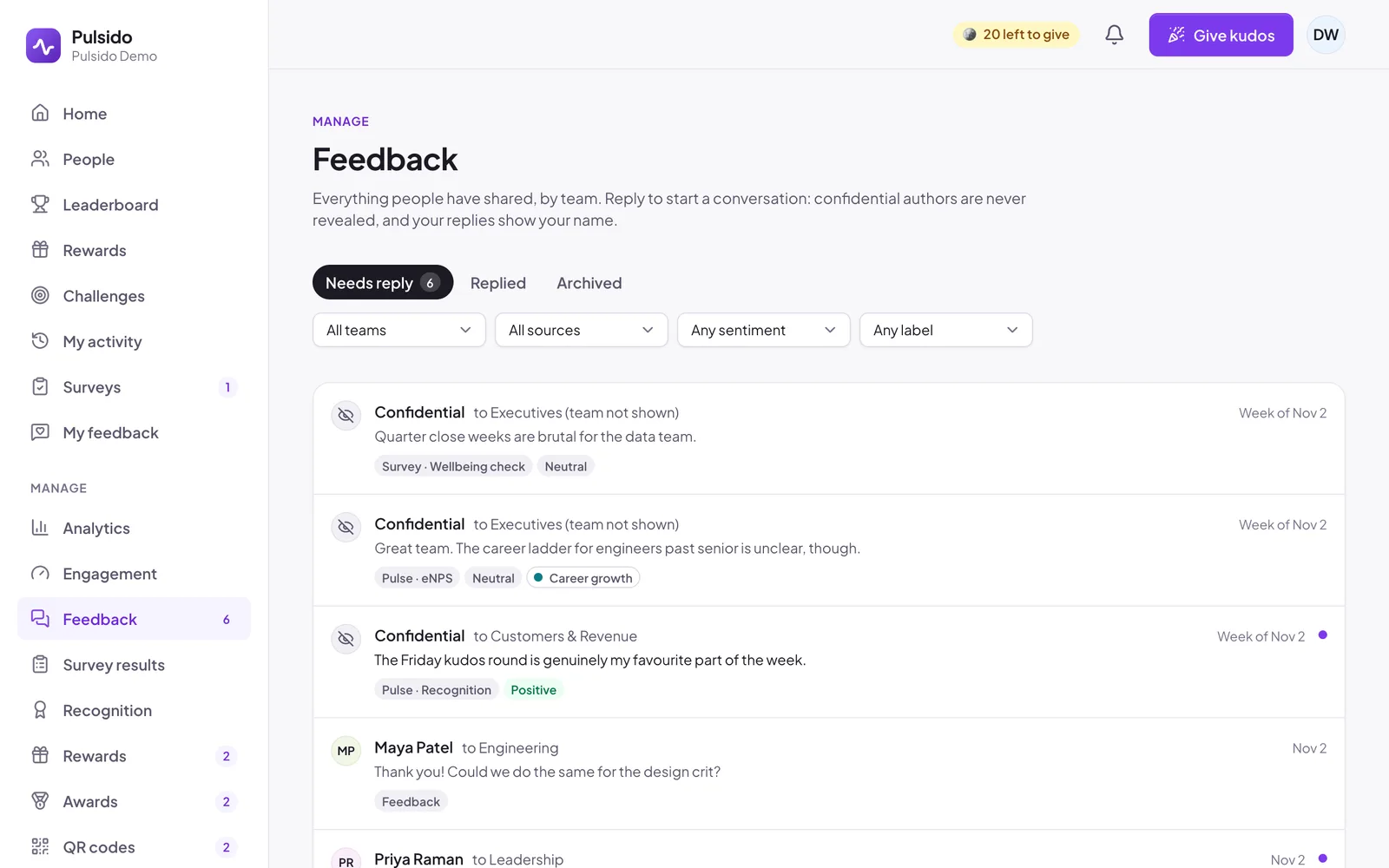
Find what needs you#
- Needs reply: the last message is from the person who wrote it.
- Replied and Archived.
- Filter by team, by source (pulse comments, survey comments, or sent any time), by sentiment (positive, neutral, or constructive), and by label. Executives can also filter to Leadership and Small teams (team not shown).
Reply#
Open a conversation, write in Reply, and send. Your reply shows your name, with a Manager badge if you manage their team, or Leadership otherwise. You'll never see who wrote a confidential message, only the week it was written.
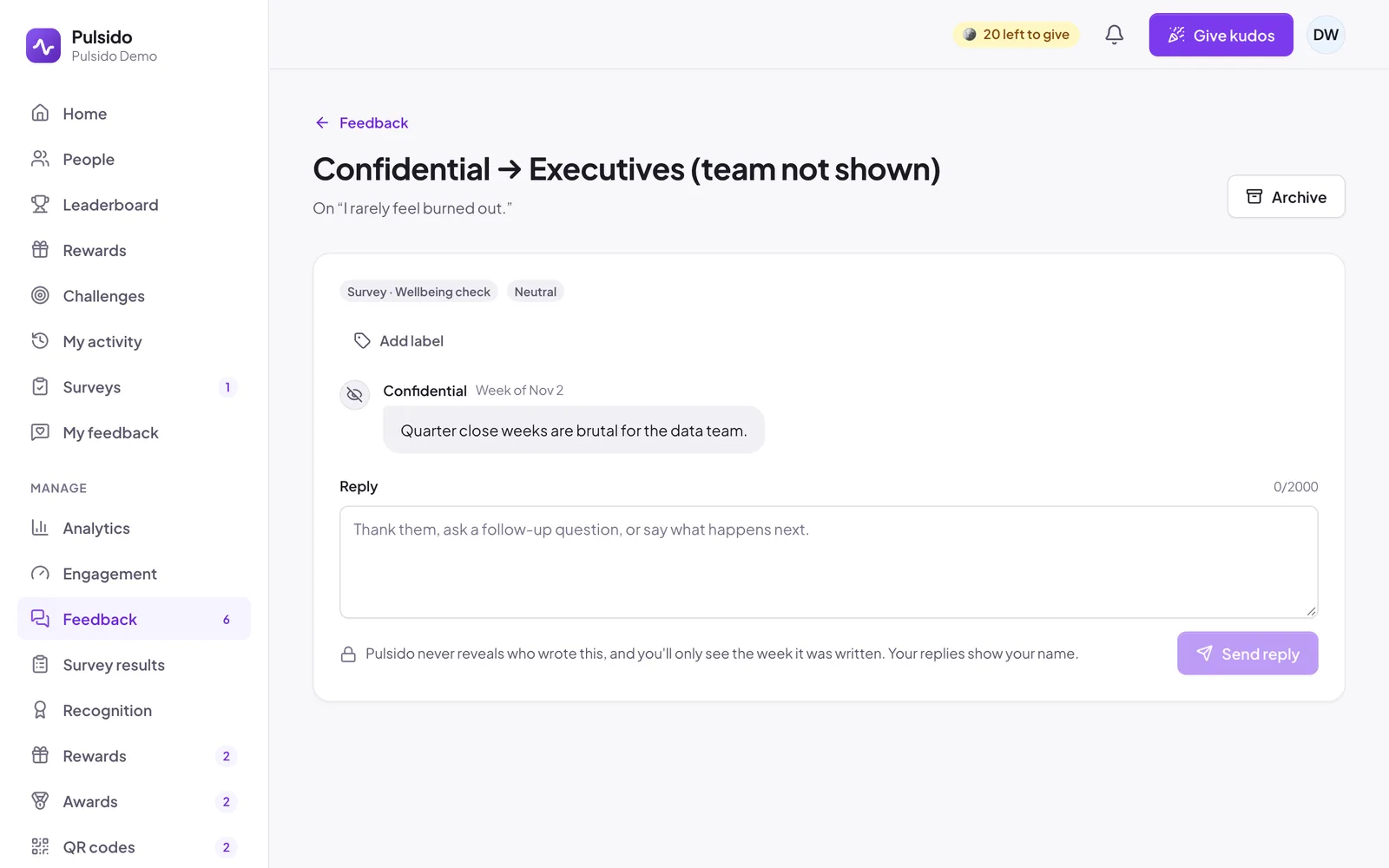
Good replies thank the person, ask a follow-up question, or say what happens next.
Labels#
Click Add label to file a conversation under a label, like Workload or Tools, then filter your inbox by it. Anyone with an inbox can create labels. Renaming and deleting them is under Manage → Surveys → Pulse → Feedback labels. Labels are shared with other inbox holders and never shown to the person who wrote the feedback.
Archive#
Click Archive when a conversation is done. Reopen brings it back.
Still stuck?
Email us and a person will reply, usually within one working day. hello@pulsido.com