Adding celebration dates
Add birthdays and start dates yourself, one by one as an admin, or all at once with a CSV.
Who can use this: Everyone can add their own dates. Admins can add anyone's.
Add your own dates#
- Click your avatar → Account settings.
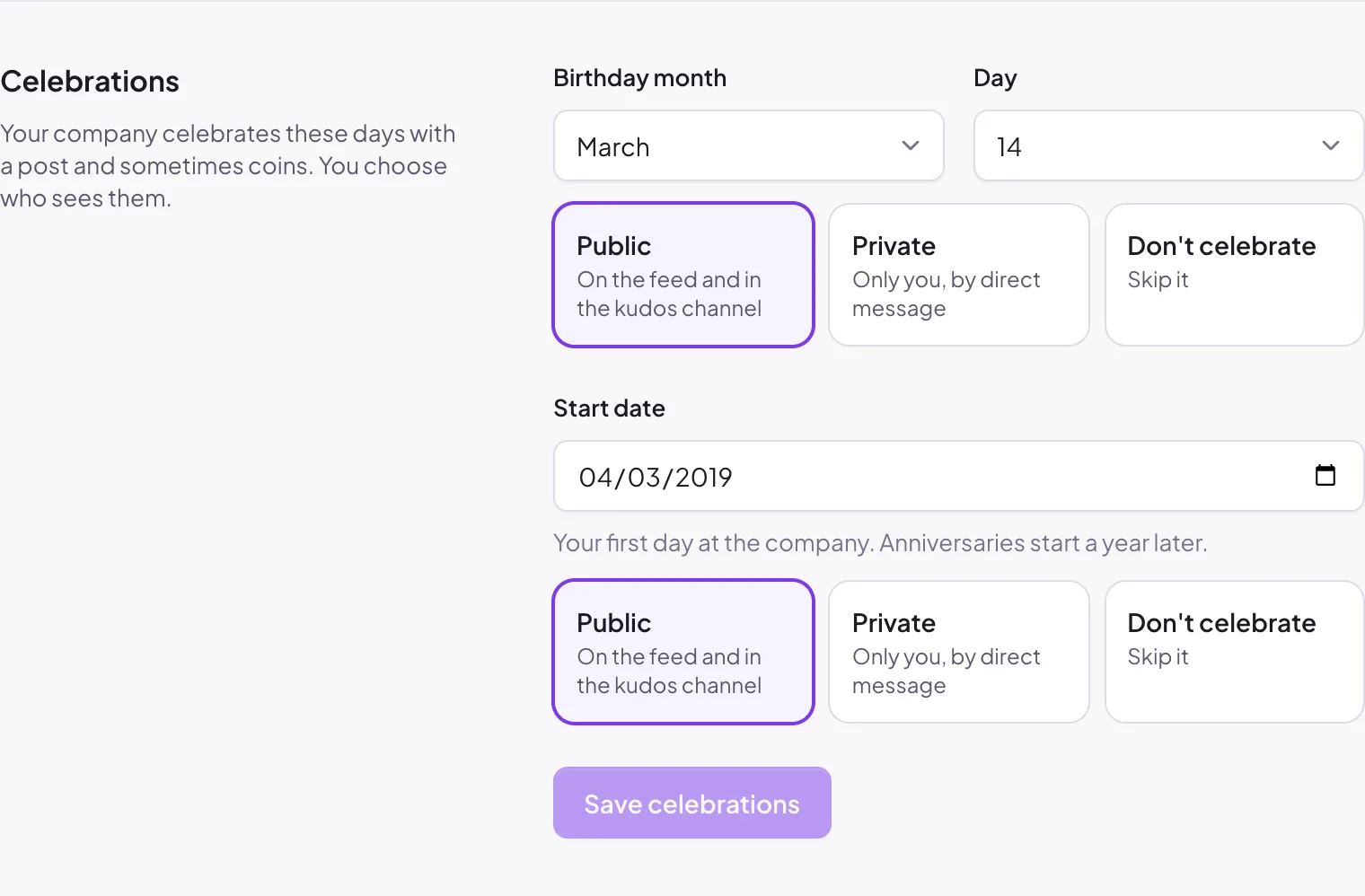
- Under Celebrations, pick your Birthday month and Day, and your Start date (your first day at the company).
- For each one, choose how it's shared:
- Public: on the feed and in the kudos channel.
- Private: only you, by direct message.
- Don't celebrate: skip it.
- Click Save celebrations.
If you see Your admin manages these dates, your company has locked dates. You can still choose how they're shared.
If your company celebrates and you haven't added dates, Home shows an Add your celebration dates card.
Add dates for others (admins)#
Go to Manage → Recognition → Celebrations and scroll to People.
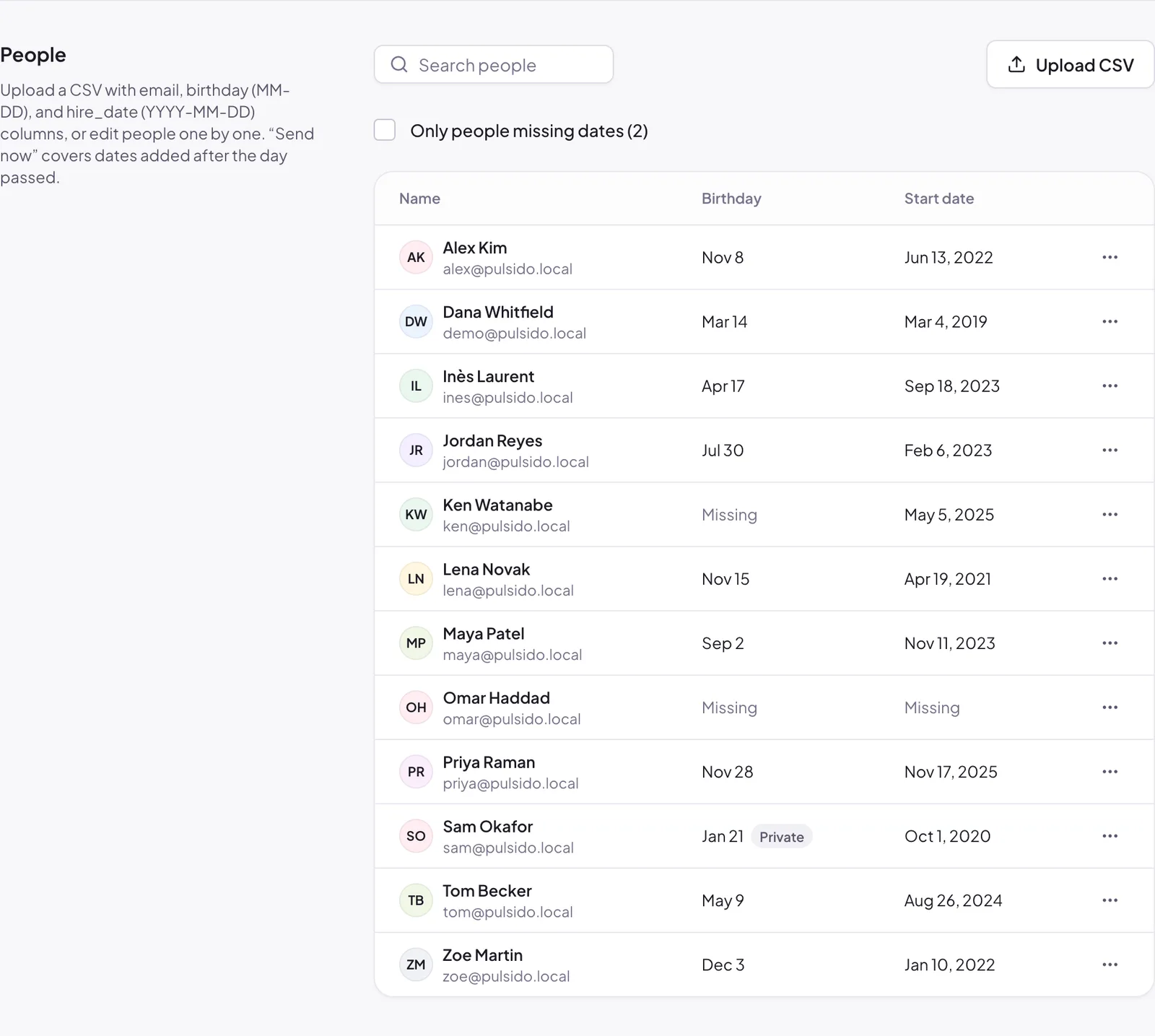
- Click a person, or open ⋯ → Edit dates, to set their dates and visibility.
- Tick Only people missing dates to see who still needs them.
Upload a CSV#
Click Upload CSV and choose a file with these columns:
| Column | Format | Example |
|---|---|---|
email |
Their Pulsido email | alex@example.com |
birthday |
MM-DD |
03-14 |
hire_date |
YYYY-MM-DD |
2022-06-13 |
Pulsido updates everyone it can and lists any rows it skipped, with the reason.
Dates added after the day#
If someone's date is added after it has passed this year, open ⋯ next to them and choose Send birthday now or Send anniversary now. Each celebration only posts once a year, so this never doubles up.
Still stuck?
Email us and a person will reply, usually within one working day. hello@pulsido.com