Sending feedback
Share an idea, a concern, or a thank-you with your managers or leadership, confidentially if you like.
Who can use this: Everyone.
You can send feedback any time, not only when there's a pulse. Managers can reply, and you can keep the conversation going.
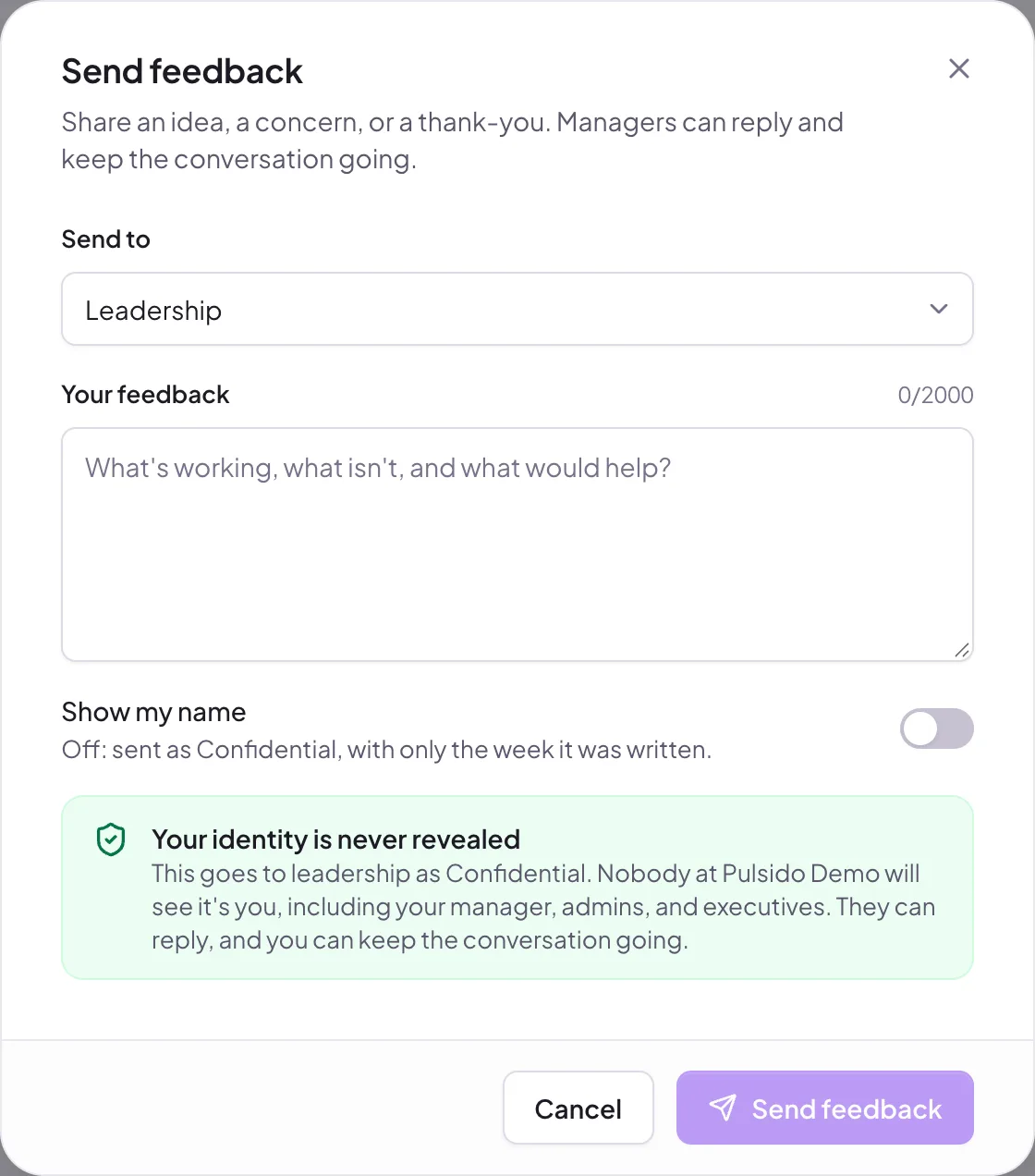
- Click My feedback in the sidebar, then Send feedback.
- In Send to, pick one of your teams (it goes to that team's managers) or Leadership (owners and executives).
- Write Your feedback, up to 2,000 characters.
- Leave Show my name off to send it confidentially, or switch it on.
- Before you send, the form tells you exactly who will read it.
- Click Send feedback.
Replies#
Replies show under My feedback, with an unread marker. Open a conversation to read and reply. When you're confidential, your messages show as Confidential; managers' replies show their name.
Small teams#
If your team has fewer than 5 people, its managers won't see confidential feedback from it, because the team alone could give you away. The form tells you that it goes to your executives instead, without your name or your team.
Still stuck?
Email us and a person will reply, usually within one working day. hello@pulsido.com