Recognition analytics
Who's recognizing whom, which values show up, and who might be getting missed.
Who can use this: Owners and admins for the whole company. Team managers for their own teams.
Go to Manage → Analytics.
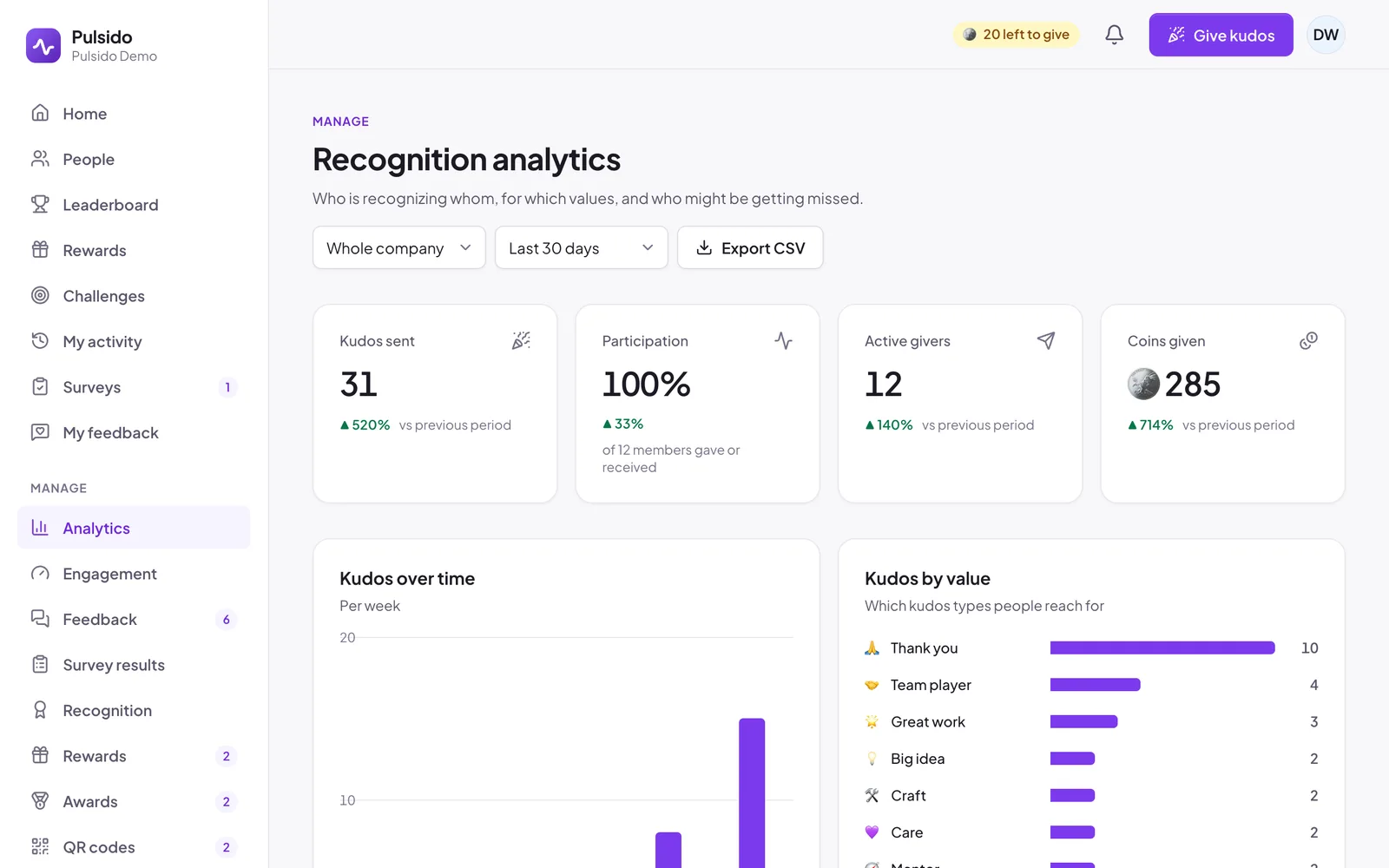
Choose what to look at#
- Team or segment: the whole company, one team (including the teams under it), or a segment. Team managers see only the teams they manage.
- Date range: last 30 days, this month, this quarter, this year, all time, or a custom range.
What's on the page#
| What it shows | |
|---|---|
| Kudos sent | How many kudos went out, with the change against the previous period of the same length |
| Participation | The share of members who gave or received kudos |
| Active givers | How many people gave at least one kudos |
| Coins given | Coins sent with kudos and add-ons |
| Values used | How many kudos types were used |
| Kudos over time | Kudos per day for ranges up to 3 weeks, per week up to about 4 months, and per month beyond that |
| Kudos by value | Which kudos types people reach for |
| Most recognized and Top givers | The people at the top of each list |
| Not recognized yet | People with no kudos given or received in the range, so you can act |
| Where kudos are sent | The web app compared with Slack |
Birthdays, anniversaries, and spot awards aren't counted as kudos here. Notes from guest QR codes count as kudos received, but not as participation.
Export#
Click Export CSV for a per-member table of the same range.
Still stuck?
Email us and a person will reply, usually within one working day. hello@pulsido.com