Setting up spot awards
Turn on awards, choose who can give them, and give each giver a budget.
Who can use this: Owners and admins, or anyone with the Recognition permission.
Spot awards are formal recognition, like Customer Hero or Employee of the Month. Unlike kudos, only the people you choose can give them, and coins come from a budget you set rather than from anyone's allowance. They post with a gold frame and show on the recipient's profile.
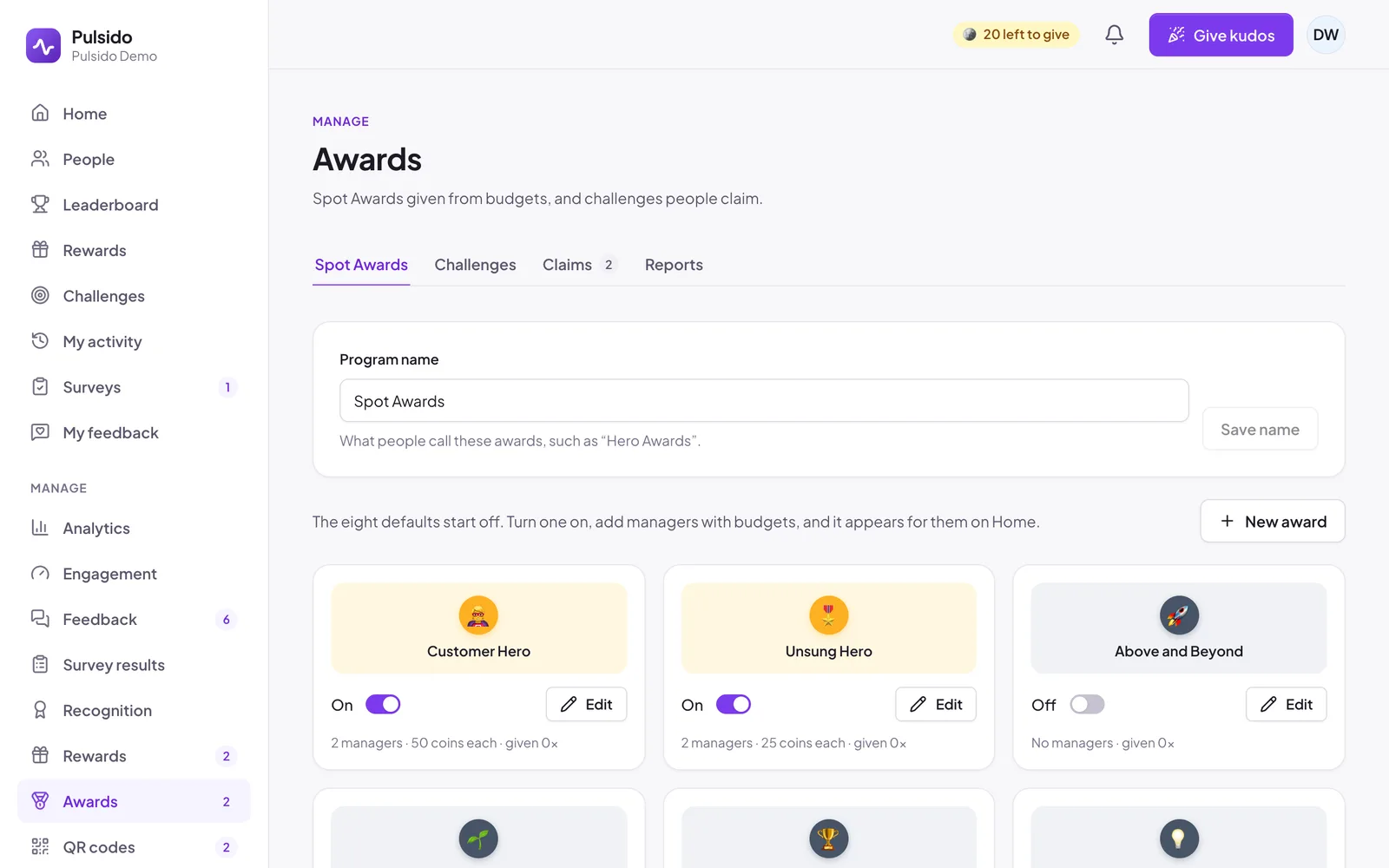
Pulsido includes eight awards, all off to start: Above and Beyond, Culture Champion, Customer Hero, Employee of the Month, Innovation Award, Outstanding Achievement, Rookie Award, and Unsung Hero.
Set up an award#
- Go to Manage → Awards.
- Click Edit on an award, or New award to make your own.
- Fill in:
- Active: switch on so it can be given.
- Emoji, Name, and an optional Image that replaces the emoji.
- Default message:
{user}becomes the recipients' first names and{award}the award's name. Givers can edit it. - Coins per person: paid from the giver's budget.
- Under Award managers, add the people who can give it. Add all admins and Add team managers add those groups in one click.
- For each manager, choose Budget or No limit. A budget is an amount of coins that resets every week, every 2 weeks, every month, every quarter, every year, or never.
- Click Save award.
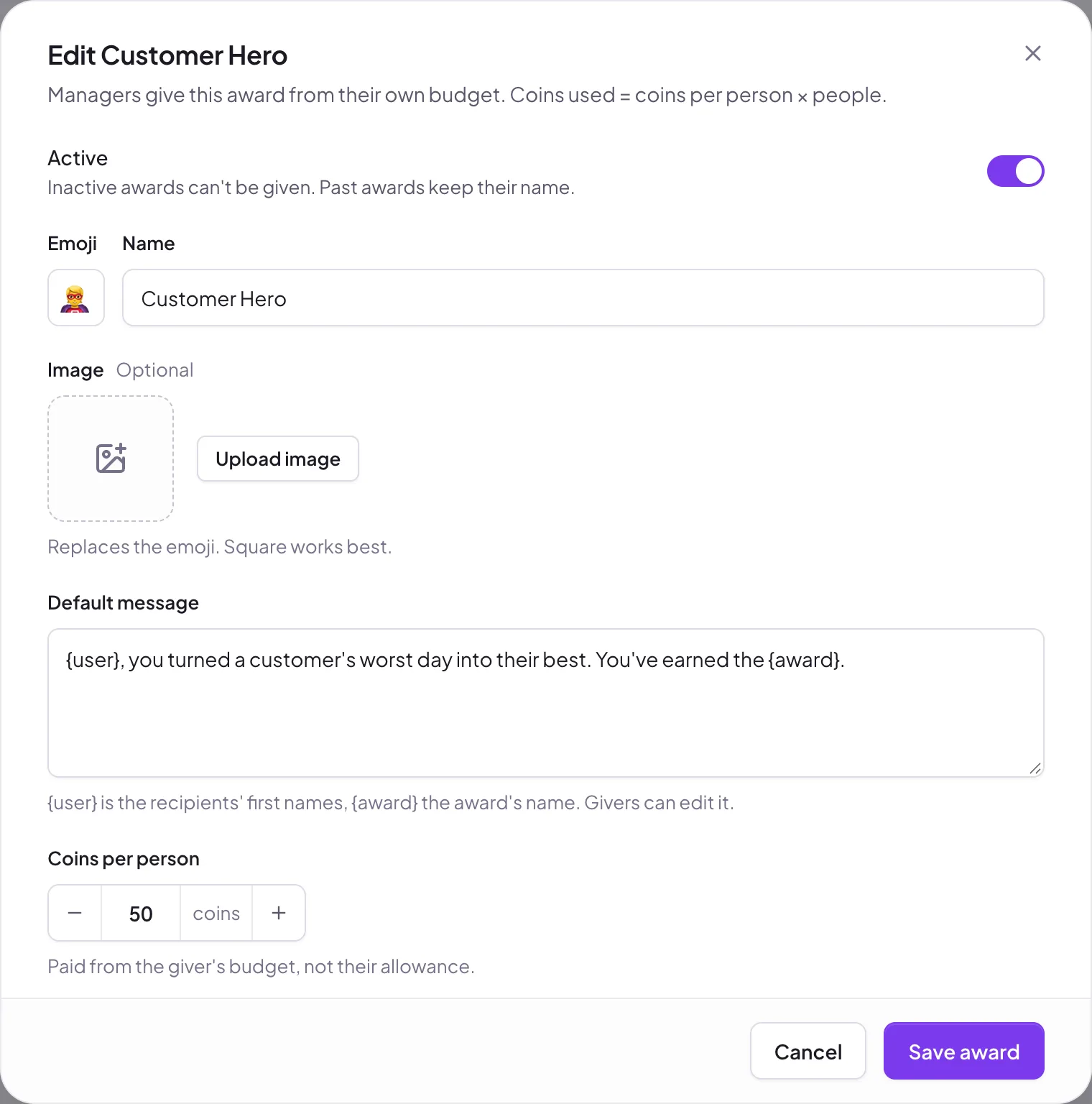
Coins used = coins per person × the number of people. If a manager's budget runs short, Pulsido tells them how much is left and when it resets, and won't send.
Rename the program#
Prefer "Hero Awards" to "Spot Awards"? Change Program name at the top of the page and click Save name. The new name shows everywhere, including the button on Home.
Reports#
Manage → Awards → Reports → Awards → Download CSV lists every award: who gave it, who got it, the coins, and the visibility, private ones included.
Still stuck?
Email us and a person will reply, usually within one working day. hello@pulsido.com