Company time zone and days off
Set the clock Pulsido posts by, and the holidays it should skip.
Who can use this: Owners and admins, or anyone with the Recognition permission.
Go to Manage → Recognition → Calendar.
Company time zone#
The weekly round, celebrations, the stats post, and leaderboard posts all follow this clock. Pick your time zone and click Save changes.
Days off#
Add your company holidays for the year.
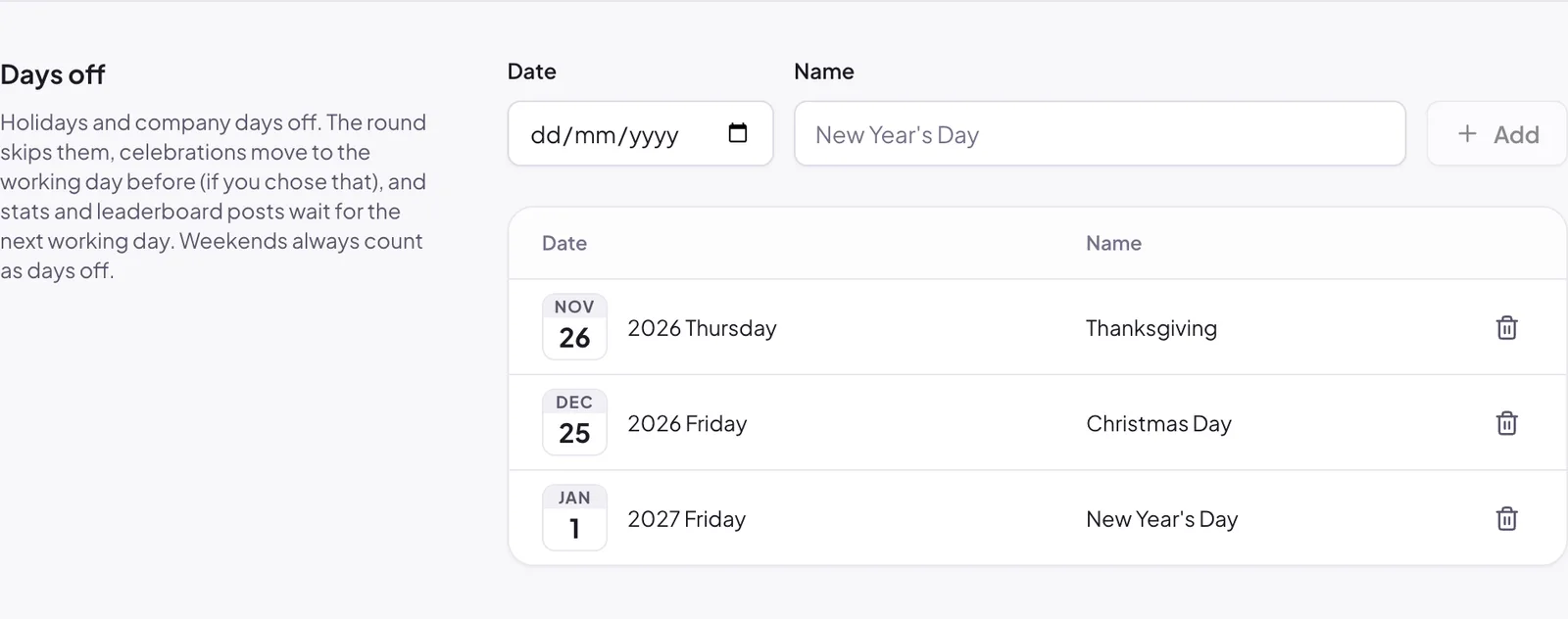
- Pick the Date.
- Give it a Name, such as "New Year's Day".
- Click Add.
On a day off:
- the weekly round doesn't run,
- celebrations move to the working day before, if you chose that under Celebrations,
- the stats and leaderboard posts wait for the next working day.
Weekends always count as days off. To remove a day, click the bin icon next to it.
Still stuck?
Email us and a person will reply, usually within one working day. hello@pulsido.com