Setting up birthdays and work anniversaries
Turn on celebrations, choose when they post, write the messages, and add coins.
Who can use this: Owners and admins, or anyone with the Recognition permission.
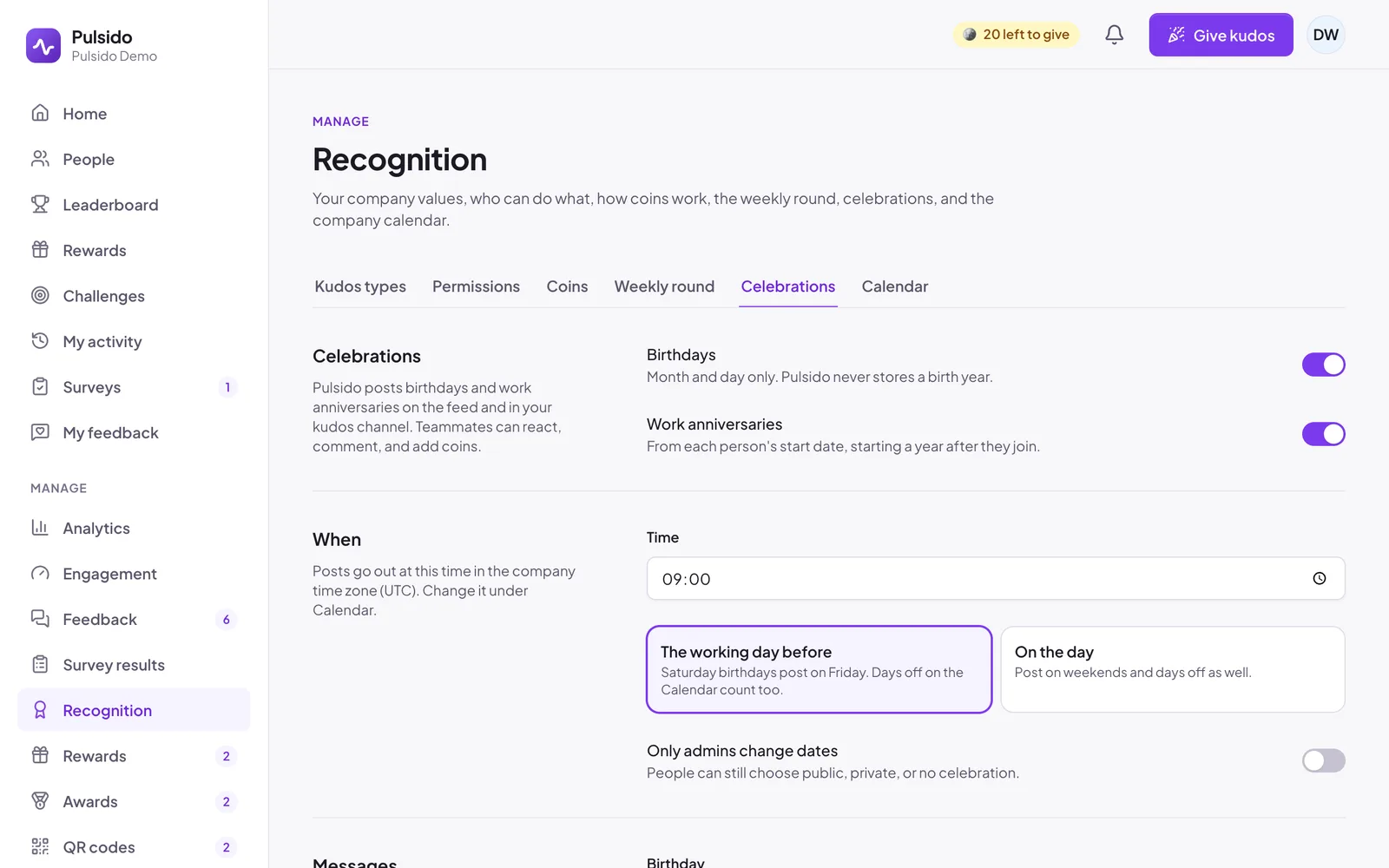
Pulsido can post birthdays and work anniversaries on the feed and in your Slack kudos channel. Teammates can react, comment, and add coins, the same as on kudos.
Turn them on#
- Go to Manage → Recognition → Celebrations.
- Switch on Birthdays, Work anniversaries, or both.
- Click Save changes.
Birthdays use month and day only. Pulsido never stores a birth year. Anniversaries start a year after someone's start date, so nobody gets an anniversary in the year they joined.
When they post#
- Time: when posts go out, in your company time zone. 09:00 by default.
- Weekends and days off: choose The working day before (a Saturday birthday posts on Friday, and days off on your company calendar count too) or On the day.
- Only admins change dates: when on, people can't change their own dates, but they can still choose public, private, or no celebration.
A 29 February birthday posts on 28 February in other years.
Messages#
Write one message for each. {name} becomes the person's first name, and {years} becomes "3rd" and so on for anniversaries.
Coins#
Coins for celebrations come from the company, not from anyone's allowance.
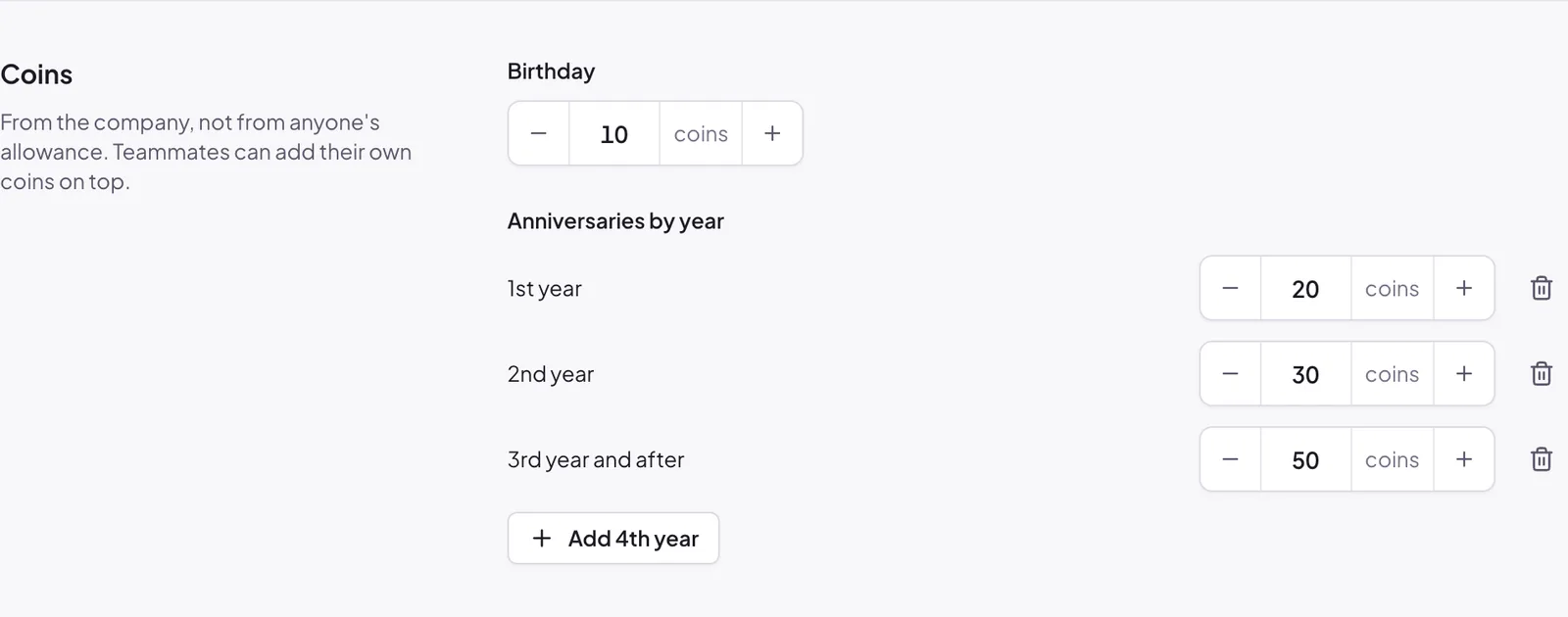
- Birthday: a fixed amount.
- Anniversaries by year: a row per year. The last row applies to that year and every year after, so "3rd year and after: 50" covers year 3, 4, 5, and on.
Who gets celebrated#
Each person chooses how their own celebrations are shared: public, private (by direct message only), or not at all. See Adding celebration dates.
Still stuck?
Email us and a person will reply, usually within one working day. hello@pulsido.com