Choosing your notifications
Decide what reaches you in Slack, on top of the bell in Pulsido.
Who can use this: Everyone.
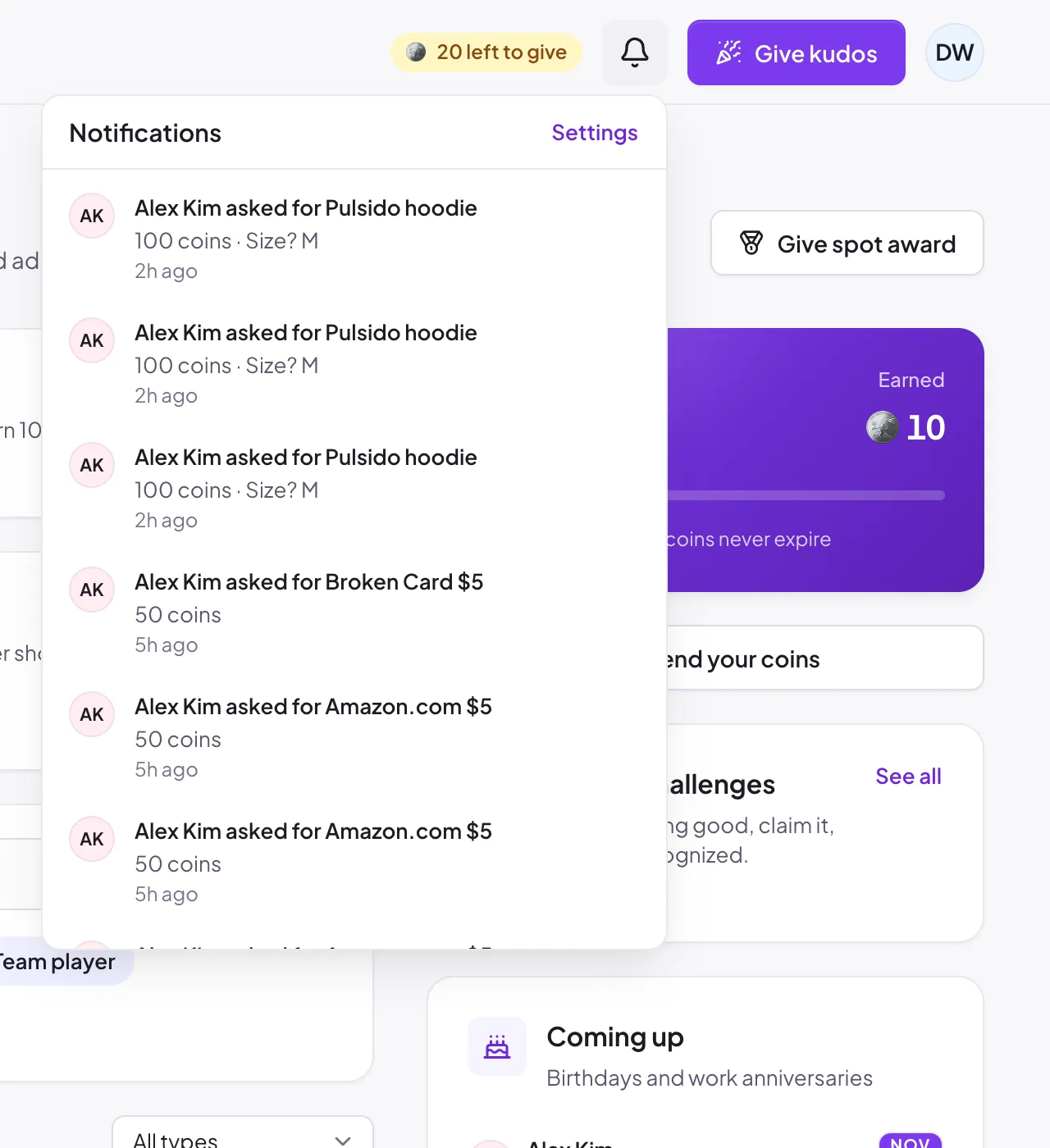
Everything Pulsido tells you shows under the bell in the top bar. Opening it marks your notifications as read. Settings at the top of the list takes you to your preferences.
Choose what else reaches you#
- Click your avatar → Account settings.
- Under Notifications, switch each kind of message on or off for Slack (and for Email, once email is set up for your company).
Changes save straight away.
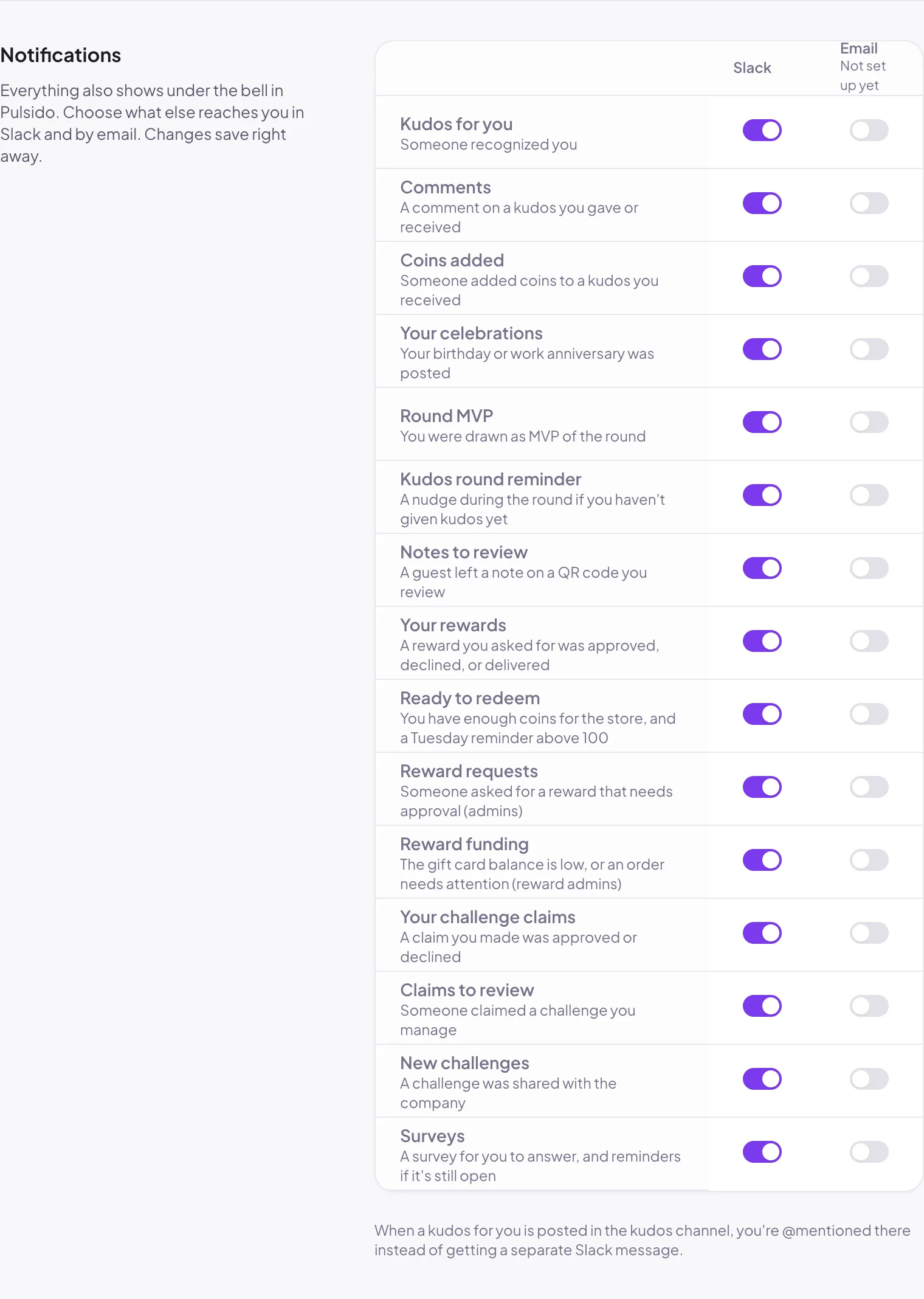
You'll only see the rows that apply to you. For example, Reward requests only shows for admins, and Claims to review only for challenge managers.
When a kudos for you is posted in the kudos channel, you're @mentioned there instead of getting a separate Slack message.
Quieter rounds#
Kudos round reminder is the nudge during the weekly round if you haven't given kudos yet. Switch it off here if you'd rather not get it.
Still stuck?
Email us and a person will reply, usually within one working day. hello@pulsido.com