Custom roles
Let someone run one area, like surveys or rewards, without making them a full admin.
Who can use this: Owners create roles. Owners and admins give them.
A custom role adds permissions on top of someone's normal role. For example, a "People Ops" role could run surveys and recognition without access to integrations or rewards.
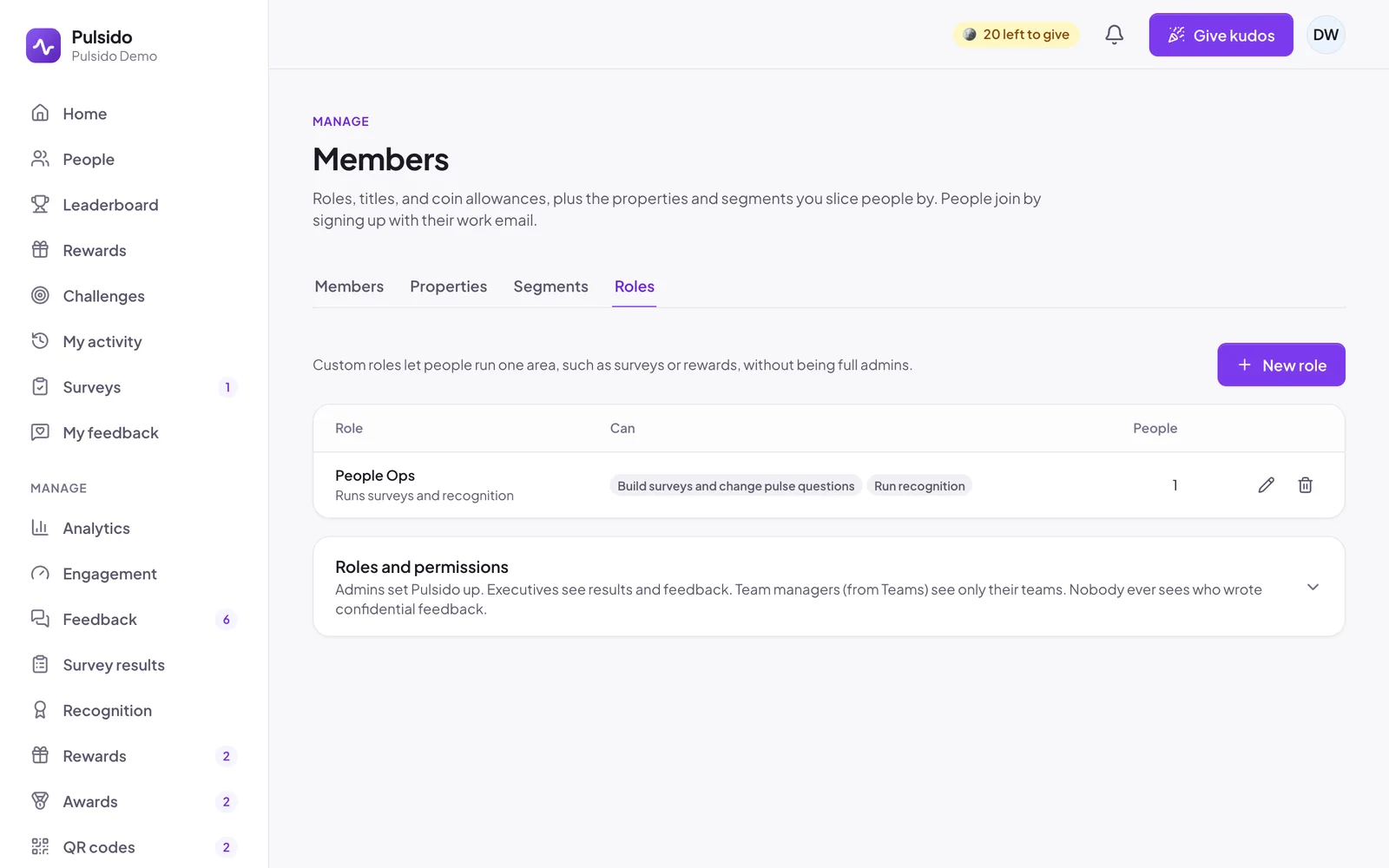
Create a role#
- Go to Manage → Members → Roles and click New role.
- Give it a Name and an optional Description.
- Tick the permissions it includes:
- Change company-wide settings
- Run recognition: kudos types, celebrations, QR codes, awards, and challenges
- Build surveys and change pulse questions
- Connect Slack and other integrations
- Change members, roles, and allowances
- Set up teams and managers
- Run the store: rewards, approvals, and balances
- See recognition analytics
- See company-wide engagement results
- Read and reply to all feedback, including feedback to leadership
- Save.
Only owners can create or change roles.
Give someone a role#
Open their Edit dialog under Manage → Members and pick the Custom role. Each person can have one.
Roles that include engagement results or feedback can only be given or removed by an owner, the same as the Executive role.
Delete a role#
Click the bin icon next to it. People who had it keep their base role.
Still stuck?
Email us and a person will reply, usually within one working day. hello@pulsido.com