Creating and sharing a challenge
Reward something people do after you announce it, like finishing security training.
Who can use this: Owners and admins, or anyone with the Recognition permission.
A challenge asks people to do something, such as walk 10,000 steps or finish a course, and rewards them when they claim it and a manager approves.
Create one#
- Go to Manage → Awards → Challenges and click New challenge.
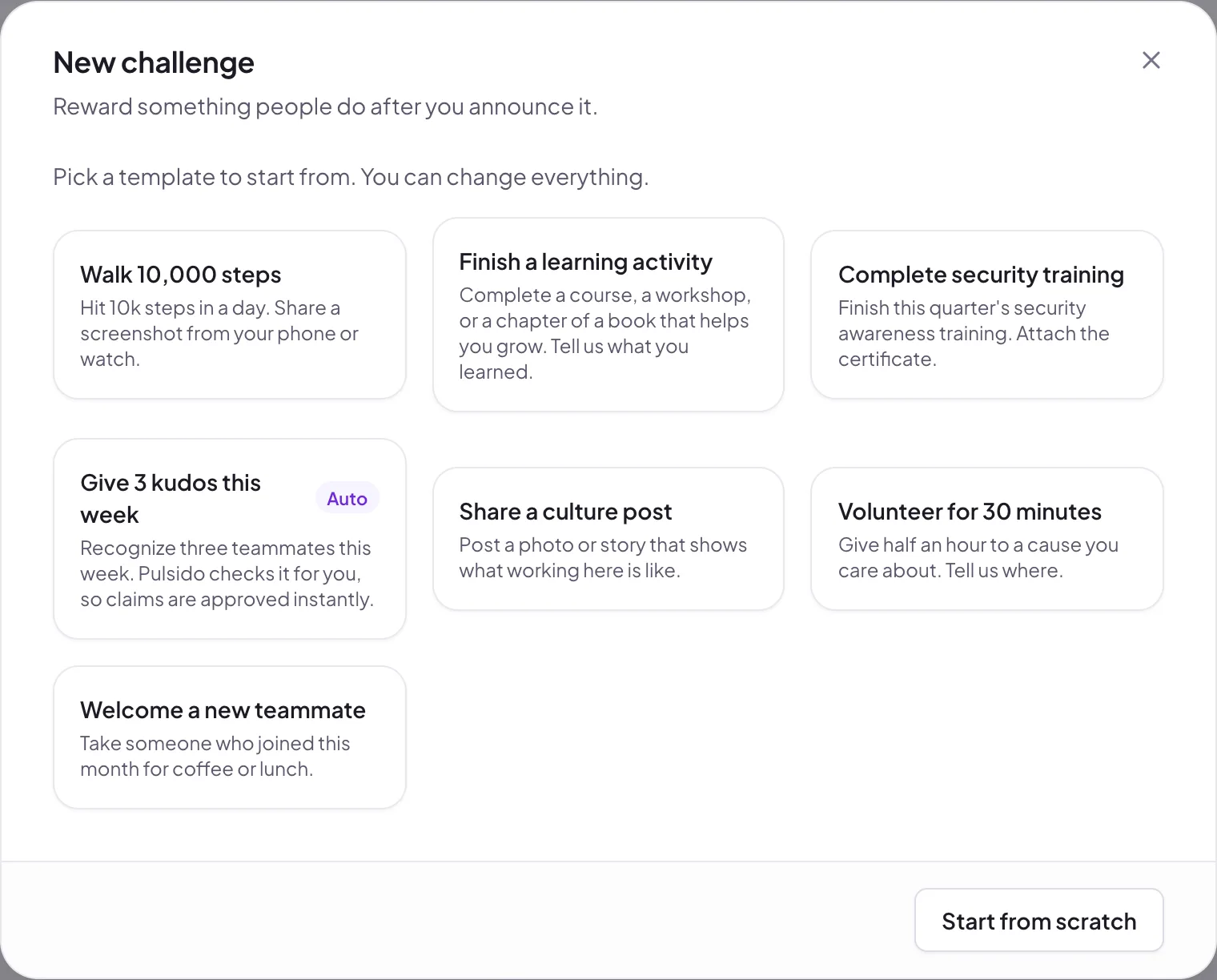
- Pick a template to start from, or click Start from scratch.
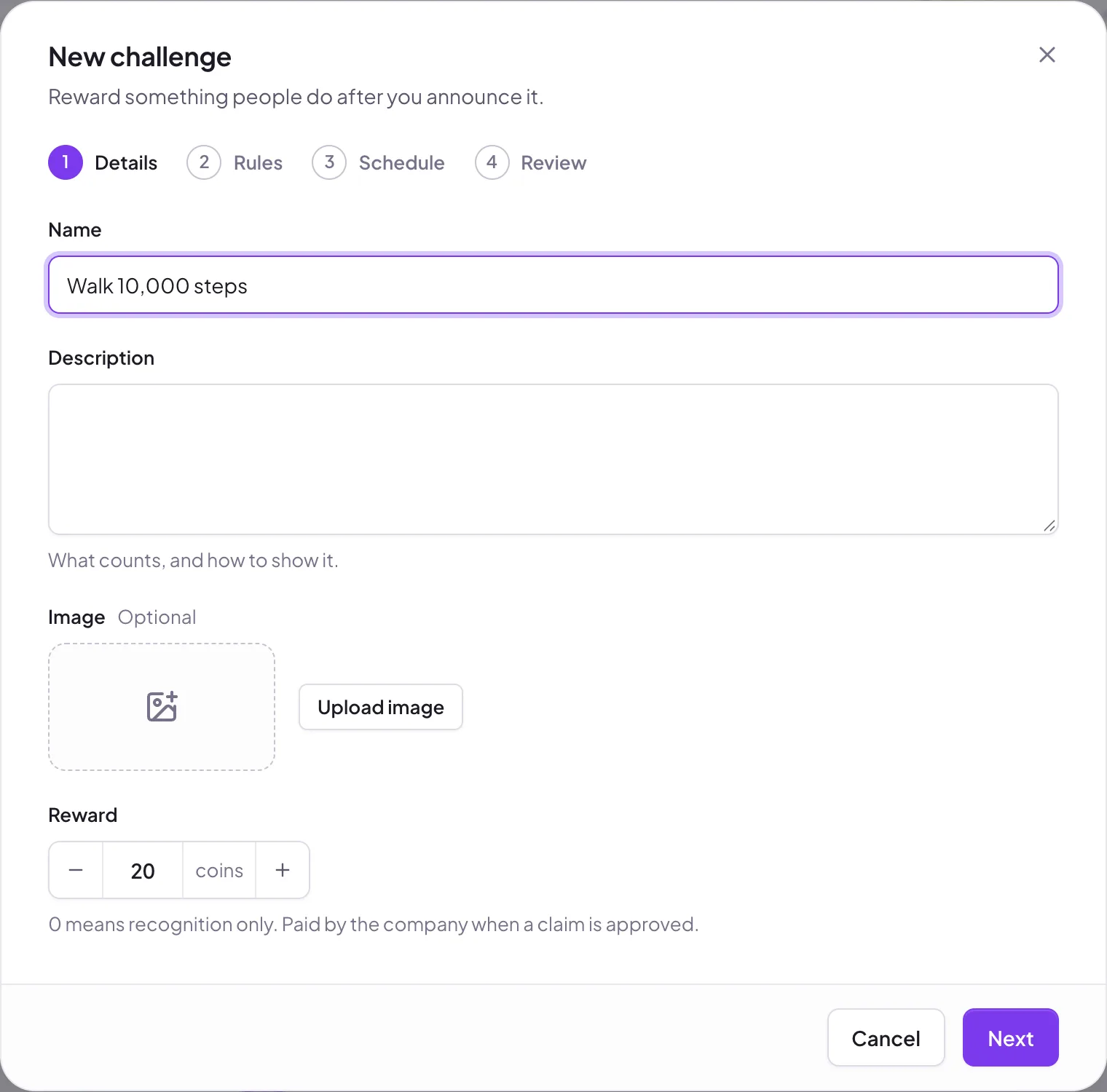
The builder has four steps.
1. Details#
- Name and Description: what counts, and how to show it.
- Image (optional).
- Reward: coins for each approved claim, paid by the company. 0 means recognition only.
2. Rules#
- Evidence: None (their word is enough), Optional, or Required (no file, no claim). Files can be a photo, screenshot, or PDF up to 2 MB.
- Successful claims in total: Unlimited, or a limit such as "the first 20 people".
- Claims per person: how many times one person can complete it.
- Managers: the people who review claims. Admins can always review.
- Notify managers about each claim: a notification in Pulsido, and in Slack and email by their settings.
3. Schedule#
- Starts: Now, or At a date.
- Ends: Never, or At a date.
4. Review#
Check the summary, then click Save challenge, or Save as draft to finish later.
The "Give 3 kudos this week" template#
This one is checked by Pulsido. When someone claims it, Pulsido counts the kudos they've given since Monday. If it's 3 or more, the claim is approved straight away; if not, they're told how many they have so far. It never waits for a manager.
Share it#
Once a challenge is active, open its ⋯ menu and choose Share. Edit the announcement, then send it. It posts in your primary Slack kudos channel and notifies everyone in Pulsido.
Pause, edit, or delete#
From the ⋯ menu: Publish makes a draft live, Pause stops new claims, and Resume starts them again. Edit works any time, but once people have claimed, only the description, end date, and managers can change. Delete is only offered while nobody has claimed.
Report#
Manage → Awards → Reports → Challenges → Download CSV lists every claim for every challenge, with its outcome, coins, and evidence link.
Still stuck?
Email us and a person will reply, usually within one working day. hello@pulsido.com