Reviewing guest notes
Approve a note from a QR code to post it as kudos, with optional coins, or decline it.
Who can use this: Reviewers of a guest QR code, and owners and admins.
When a guest leaves a note on a code you review, you get a notification and the note waits under Manage → QR codes → Review.
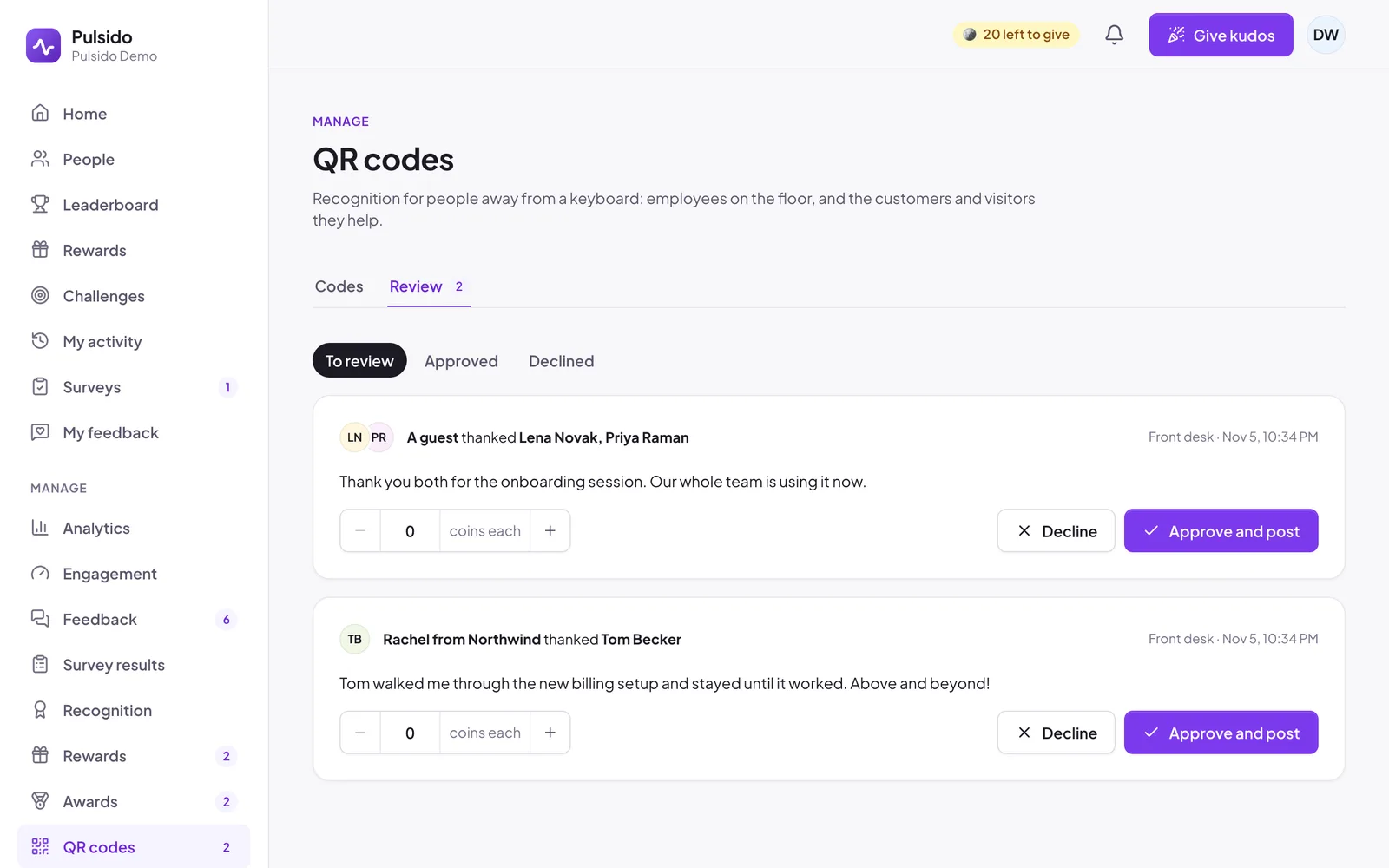
For each note:
- Read it. Check it doesn't include anything private.
- Optionally add coins for each person, up to the limit set on the code. They come from the company.
- Click Approve and post to publish it as a kudos, or Decline to drop it.
Switch to Approved or Declined to see past decisions. Admins see notes from every code; reviewers see notes from their own codes.
Still stuck?
Email us and a person will reply, usually within one working day. hello@pulsido.com