Coin allowance, resets, and limits
Turn coins on or off, rename them, set the allowance, and limit coins between two people.
Who can use this: Owners and admins, or anyone with the Recognition permission.
Go to Manage → Recognition → Coins. Click Save changes when you're done.
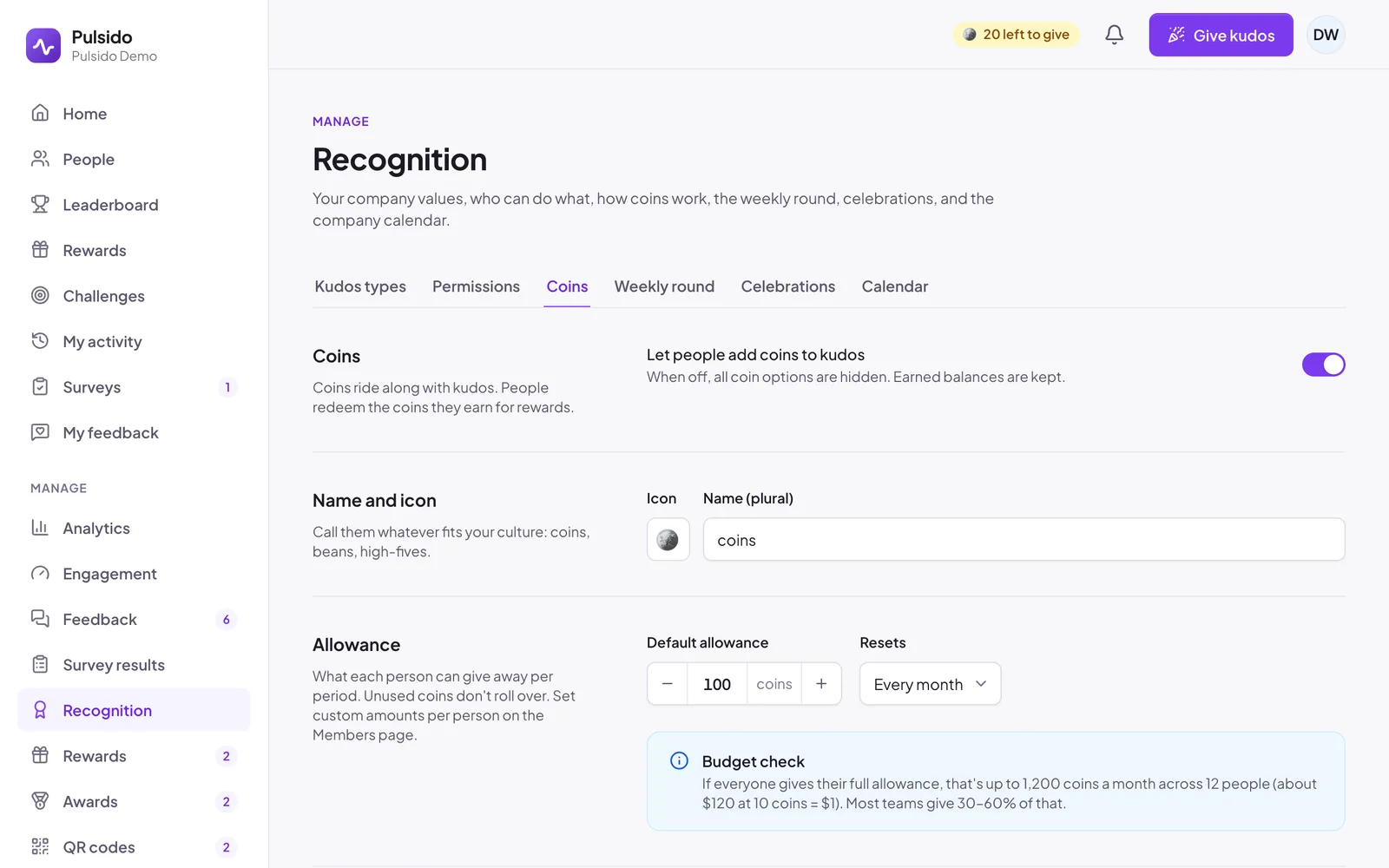
| Setting | What it does | Default |
|---|---|---|
| Let people add coins to kudos | Turns coins on or off. When off, every coin option is hidden, and earned balances are kept. | On |
| Name and icon | What you call them (up to 16 characters) and their icon | coins, 🪙 |
| Default allowance | What each person can give per period, from 0 to 10,000 | 100 |
| Resets | Every week, every 2 weeks, every month, or every quarter | Every month |
| Per-person limit | The most one person can give another per period. Owners and admins aren't limited. | On, 50 |
| Adding coins | Whether teammates can add their own coins to someone else's kudos | On |
Changing the reset#
Changing how often allowances reset starts a new period as soon as you save, so everyone gets a fresh allowance right away. Pulsido warns you before you save.
Budget check#
Under the allowance, Pulsido shows the most your company could give in a month if everyone gave their full allowance, and roughly what that's worth at 10 coins = $1. Most teams give 30–60% of it.
Different allowances for different people#
Set a custom allowance for a person or a team, or stop someone giving or receiving coins. See Custom allowances and coin exclusions.
Still stuck?
Email us and a person will reply, usually within one working day. hello@pulsido.com