Finding your way around Pulsido
What's in the sidebar, the top bar, and the Manage section.
Who can use this: Everyone.
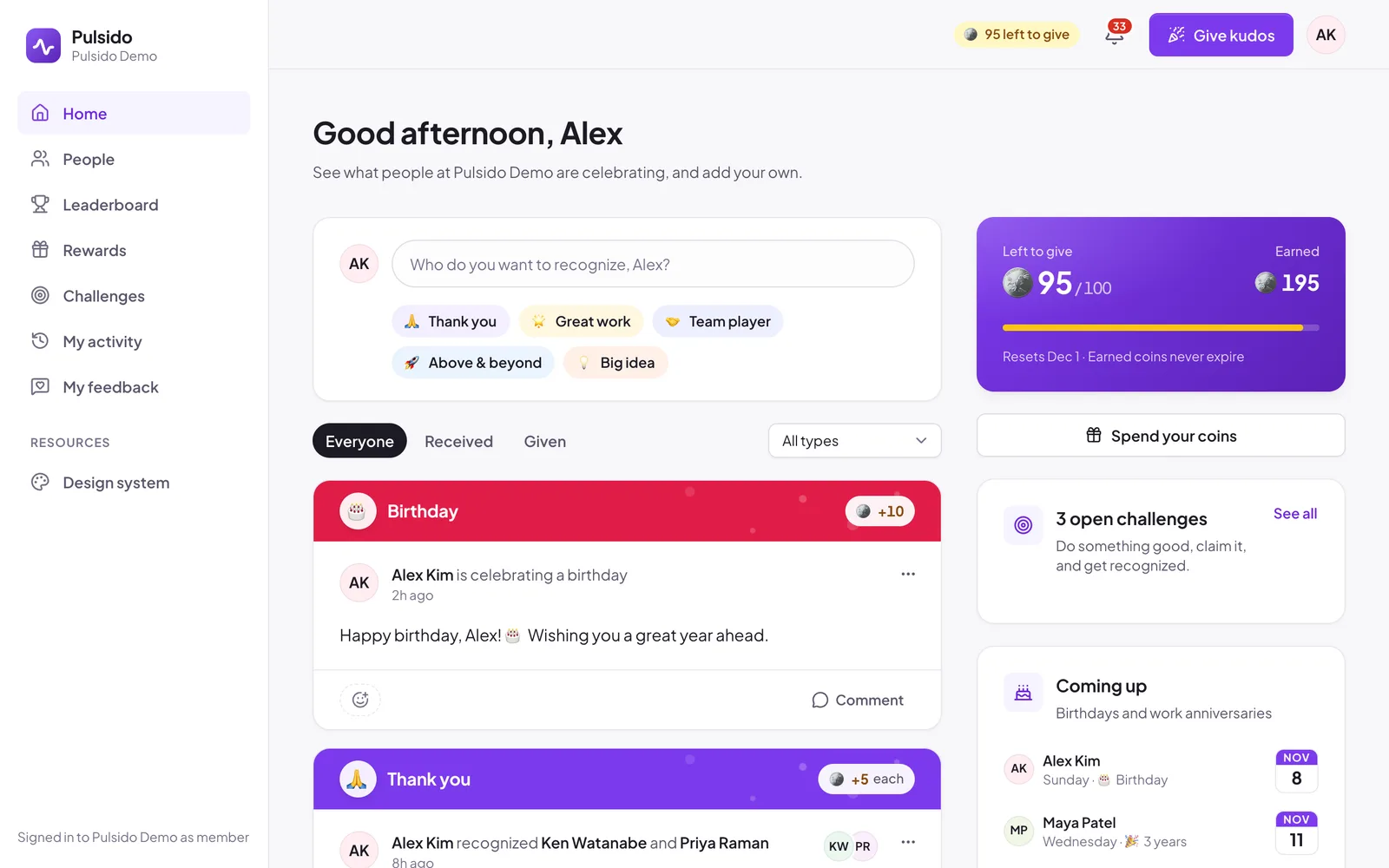
The top bar#
- Coins left to give. How many coins you can still give this period, and when your allowance resets. Shown when your company uses coins.
- The bell. Your notifications: kudos for you, comments, reward updates, and more. Opening it marks them as read.
- Give kudos. Opens the kudos form from any page.
- Your avatar. Your profile, Account settings, the theme (Light, Dark, or System), and Sign out.
The sidebar#
Everyone sees these:
| Page | What's there |
|---|---|
| Home | The company feed, your balance, open challenges, and upcoming birthdays and anniversaries |
| People | Everyone at your company, with their kudos counts |
| Leaderboard | Who's recognized most, who gives most, and the values used most |
| Rewards | The rewards store and your balance. Hidden if your company turned rewards off. |
| Challenges | Open challenges you can claim. Shown when there's one running. |
| My activity | Every kudos you've received and given, with filters and a CSV export |
| Surveys | Surveys waiting for you. Shown when there's one to answer. |
| My feedback | Feedback you've sent and the replies to it |
The Manage section#
Owners, admins, executives, team managers, and people with a custom role see a Manage section underneath, showing only the pages their role allows. Admins usually see Analytics, Recognition, Rewards, Awards, QR codes, Surveys, Teams, Members, Integrations, and Brand Kit. Executives and team managers also see Engagement, Feedback, and Survey results.
A number next to a page means something is waiting for you, such as reward requests to approve or feedback that needs a reply.
Still stuck?
Email us and a person will reply, usually within one working day. hello@pulsido.com