Claiming a challenge
Do the thing, tell us about it, and get recognized.
Who can use this: Everyone.
Open challenges show on Home and on the Challenges page in the sidebar.
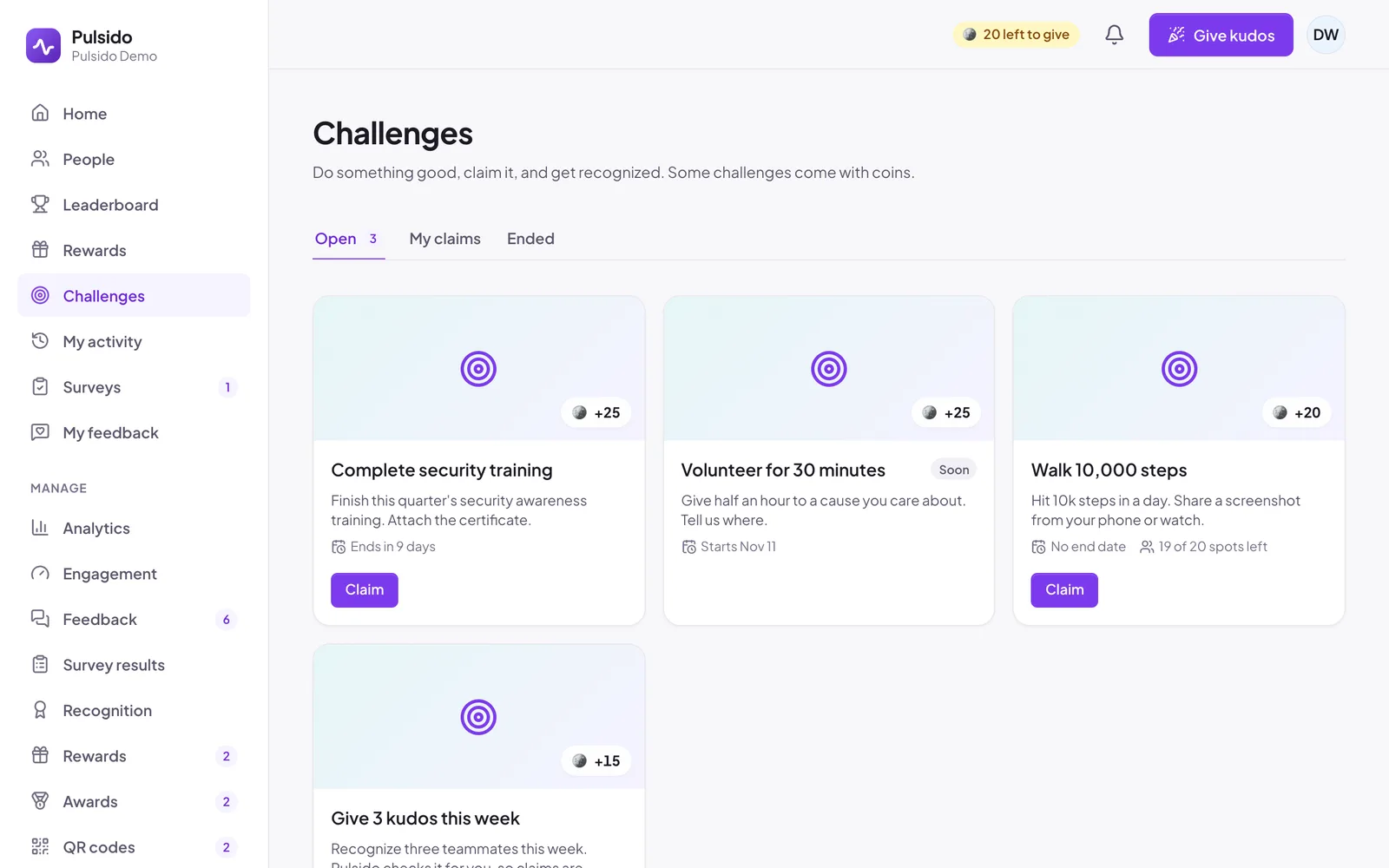
- Go to Challenges and find the one you've done.
- Click Claim.
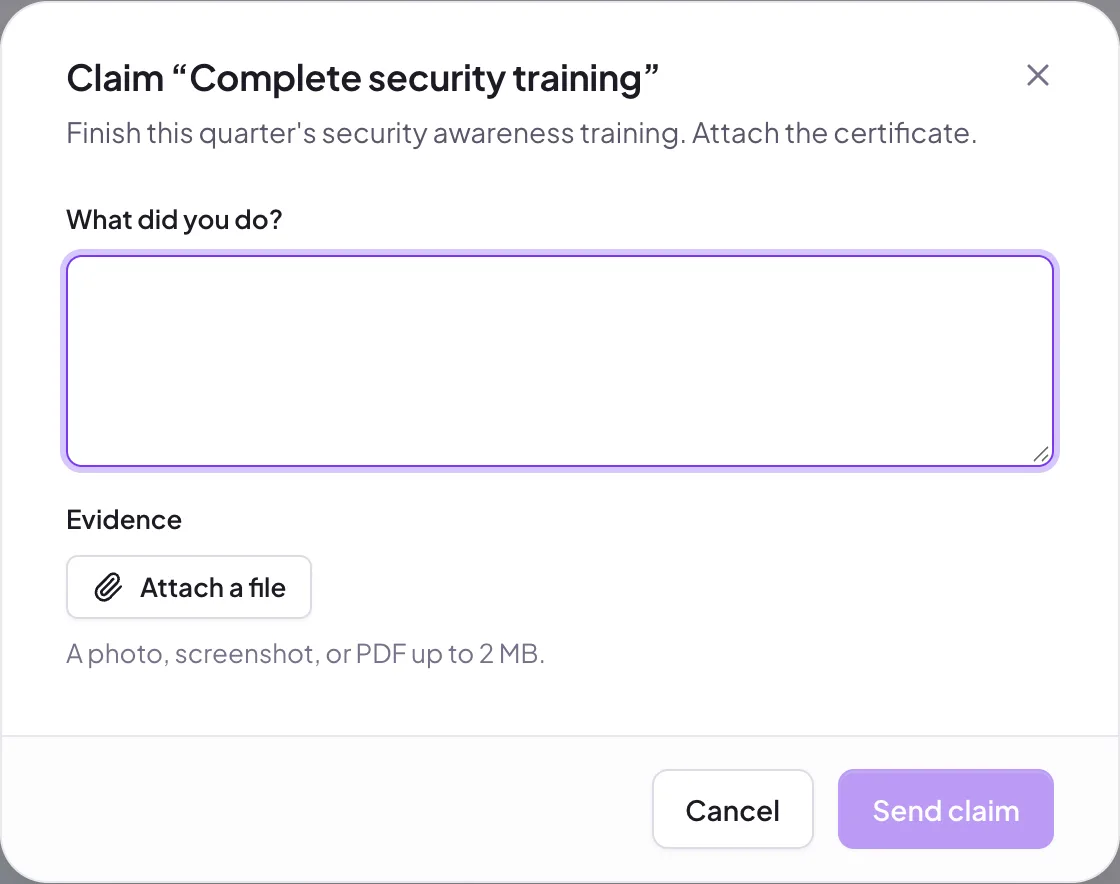
- In What did you do?, explain briefly.
- If evidence is asked for, click Attach a file and add a photo, screenshot, or PDF up to 2 MB.
- Click Send claim.
Your claim shows as Pending under My claims until a manager reviews it. You'll get a notification either way. If it's approved, the coins land in your earned balance. If it's declined, you'll see the reason, and you can claim again while the challenge is open.
Some challenges, like Give 3 kudos this week, are checked by Pulsido and approved instantly.
Still stuck?
Email us and a person will reply, usually within one working day. hello@pulsido.com