Store settings
Open or close the store, choose its currency, and set the redemption minimum.
Who can use this: Owners and admins, or anyone with the Rewards permission.
Go to Manage → Rewards → Settings, and click Save changes when you're done.
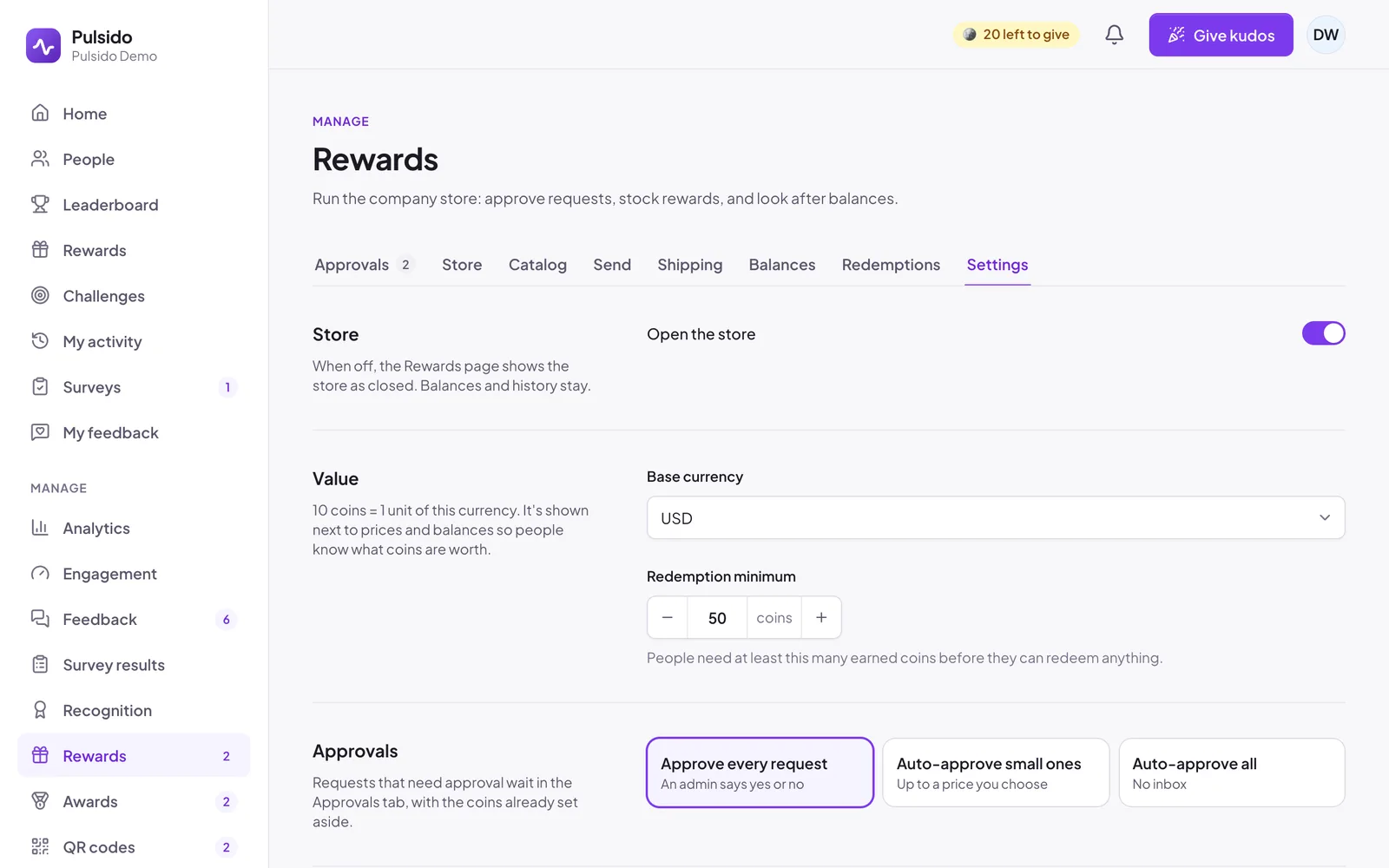
| Setting | What it does | Default |
|---|---|---|
| Open the store | When off, the Rewards page shows the store as closed. Balances and history stay. | On |
| Base currency | USD, GBP, EUR, CAD, AUD, NZD, CHF, SGD, or INR. 10 coins = 1 unit. | USD |
| Redemption minimum | Earned coins someone needs before they can redeem anything | 50 |
| Approvals | Approve every request, auto-approve small ones, or auto-approve all. See Approving reward requests. | Approve every request |
| Who gives and receives | People who don't give or don't receive coins. See Custom allowances and coin exclusions. | Nobody |
| When someone leaves | Freeze or forfeit a leaver's earned coins. See What happens to coins when someone leaves. | Freeze |
Reminders people get#
- Ready to redeem: a notification when someone's earned coins first reach the minimum.
- A Tuesday reminder to people with more than 100 coins to spend. People can turn these off in their notification settings.
Still stuck?
Email us and a person will reply, usually within one working day. hello@pulsido.com