Onboarding surveys
Check in with new hires automatically at day 7, 30, 60, and 90.
Who can use this: Owners and admins, or anyone with the Surveys permission, to set up. Owners and executives see the results.
Onboarding surveys go out by themselves a set number of days after each person's start date.
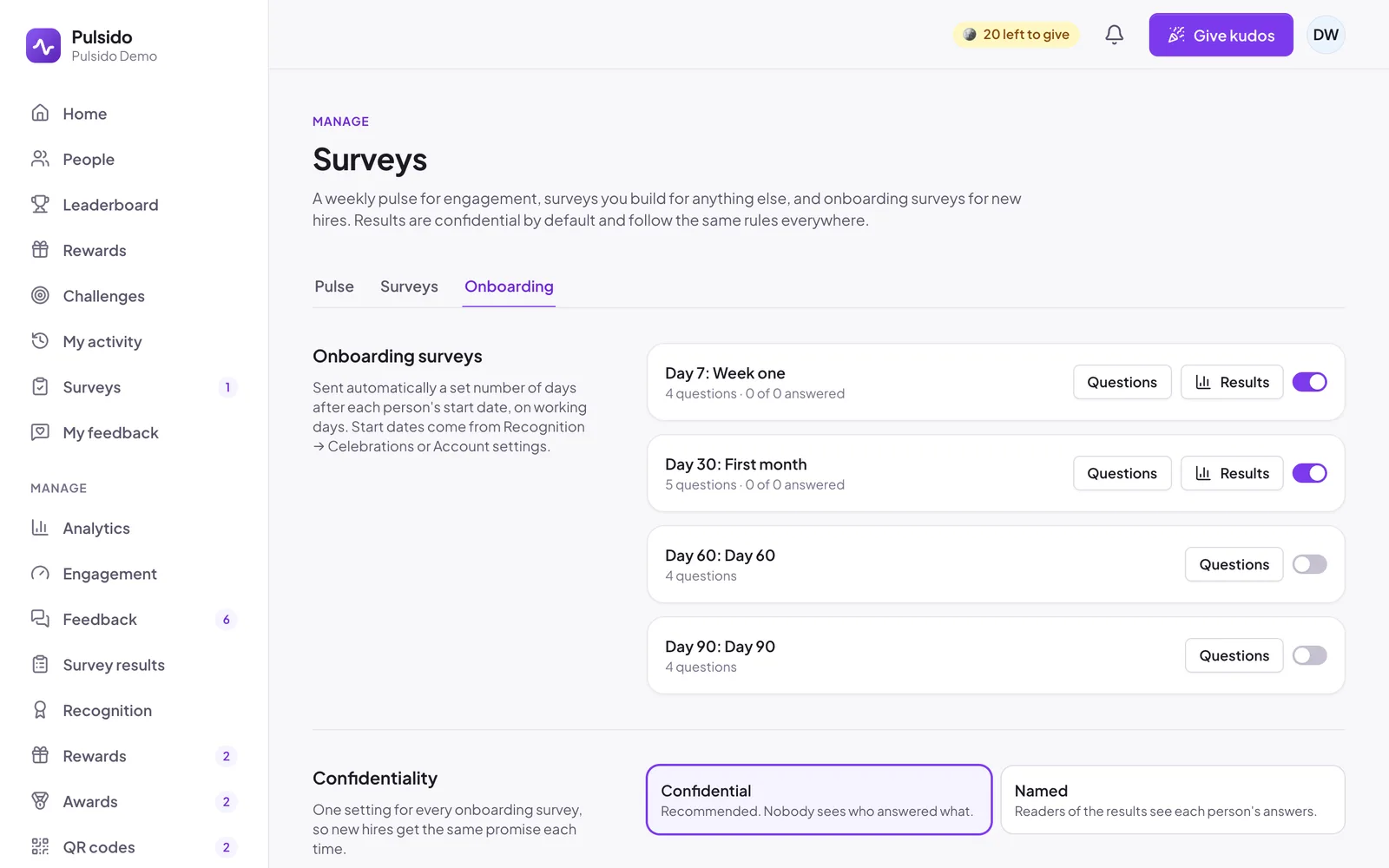
Set them up#
- Go to Manage → Surveys → Onboarding.
- Click Add the defaults to add four surveys: Week one (day 7), First month (day 30), Day 60, and Day 90. They start switched off.
- Click Questions on any of them to change the wording.
- Switch on the ones you want.
Under Confidentiality, choose Confidential (recommended) or Named. It applies to every onboarding survey, so new hires get the same promise each time.
Start dates#
Onboarding surveys need each person's start date. People add it themselves under Account settings, or admins add it under Manage → Recognition → Celebrations. See Adding celebration dates.
When they're sent#
Each morning, Pulsido sends the survey to anyone whose start date plus the survey's number of days fell in the last 7 days, so a weekend or a missed day doesn't skip anyone. It stays open for 14 days.
Results#
Manage → Survey results → Onboarding shows the Onboarding Effectiveness Score: the average of agree / disagree answers across all onboarding surveys, from 0 to 10, by hire month, with each month's completion rate. Owners and executives see it. Team managers see their team's answers on each onboarding survey.
Still stuck?
Email us and a person will reply, usually within one working day. hello@pulsido.com