Adjusting balances
Add or remove coins for one person, upload a CSV, or reset everyone's earned balance.
Who can use this: Owners and admins, or anyone with the Rewards permission. Resetting everyone needs an owner.
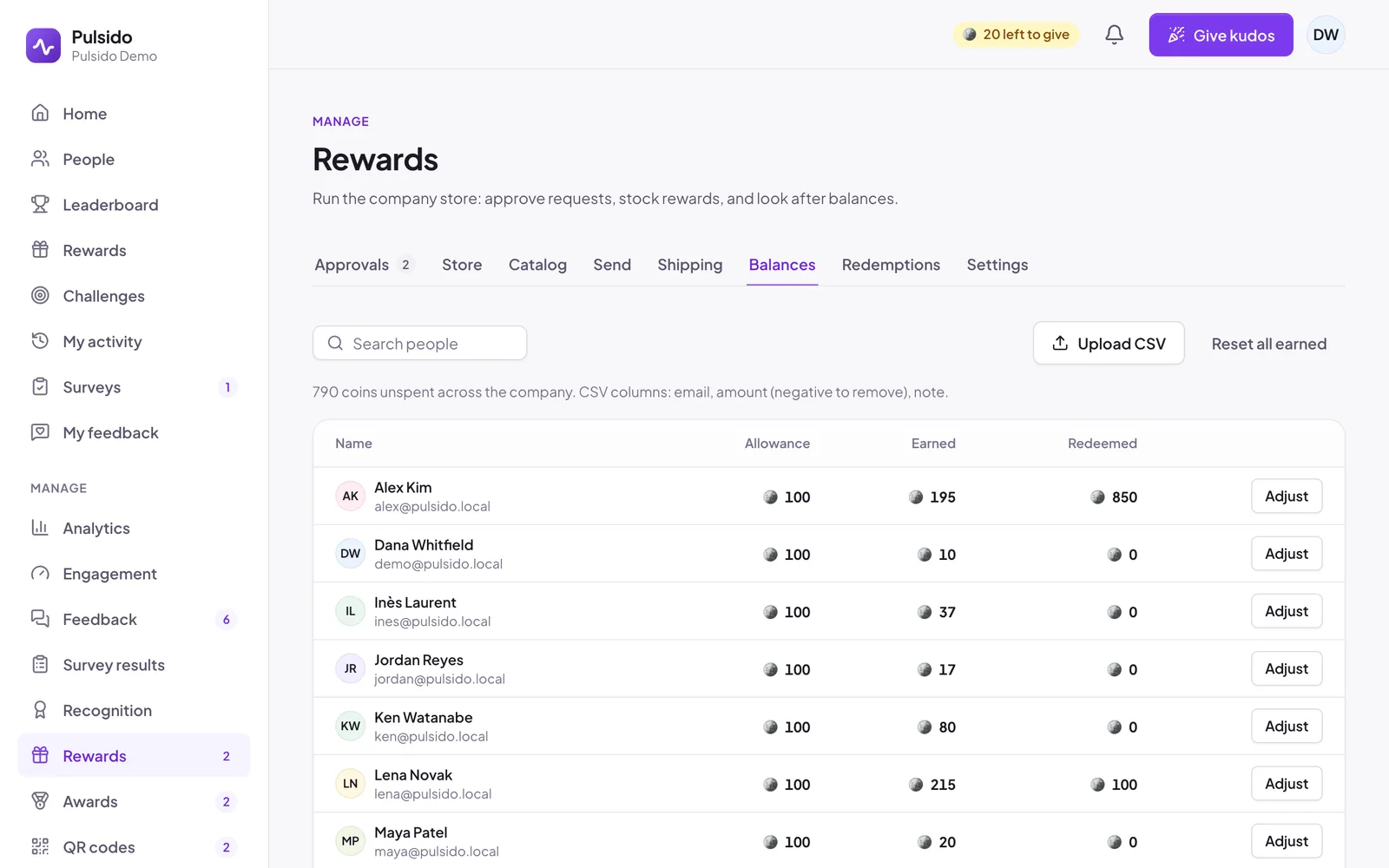
Go to Manage → Rewards → Balances. You'll see each person's allowance, earned coins, and how many they've redeemed.
Adjust one person#
- Click Adjust next to them.
- Choose Add or Remove, and the amount.
- Write a Reason, such as "Hackathon prize".
- Save.
Every adjustment is kept with your reason. Balances never go below zero.
Upload a CSV#
Click Upload CSV and choose a file with these columns:
| Column | Example |
|---|---|
email |
alex@example.com |
amount |
50, or -20 to remove |
note |
Q3 hackathon |
Pulsido updates everyone it can and tells you about any rows it couldn't use.
Reset everyone's earned balance#
Owners see Reset all earned. It sets every earned balance to zero, with a record for each person. Requests already made keep their coins. To confirm, type RESET. This can't be undone.
Still stuck?
Email us and a person will reply, usually within one working day. hello@pulsido.com